
StatAPult GAA Version 4.4 is now available from the App Store!

StatAPult GAA Version 4.4 is now available from the App Store.

This release contains a the following updates and enhancements:

(1) Bugfix for 2 Point scores missing in Shot/PO PDF report

This bugfix ensures 2 point scoring is added to the Shot/Puckout is added to the indiviudal shot PDF’s.

(2) Layout adjustments to cater for iOS 18 tab bar location.

Update to screen layout on all tabs to move text/buttons from behind the iOS 18 tab-bar. In previous releases on iOS 18 based iPads the tab-bar location was overlaid on text.
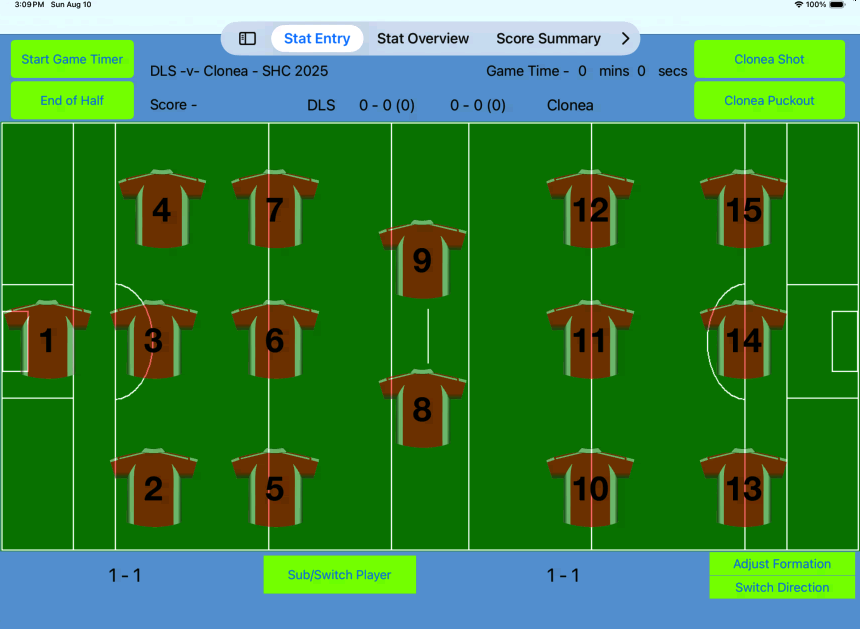
(3) Addition of multi-game export for CSV files.

This new addition allows you to export multiple games in same CSV file. This addition allows you to export the Shots, Puckouts, Total Individual Stats and Game Log.

Navigate to the Game Export screen and you will see the new Game Export popup.
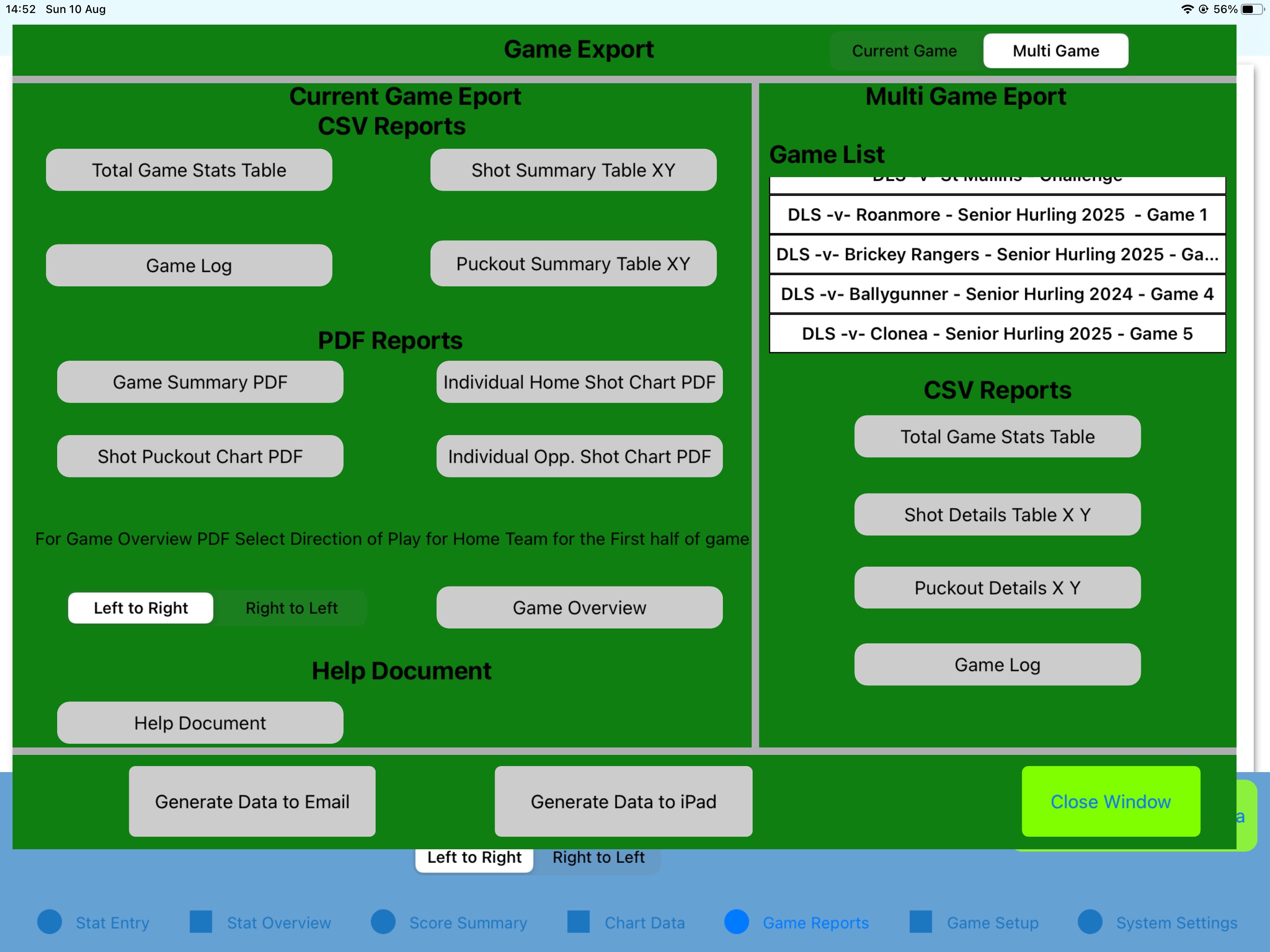
Ensure the slider in the top left is set to MultiGame. Now select the games by clicking on them in the game list. Once a game is selected the background is highlighted in green.
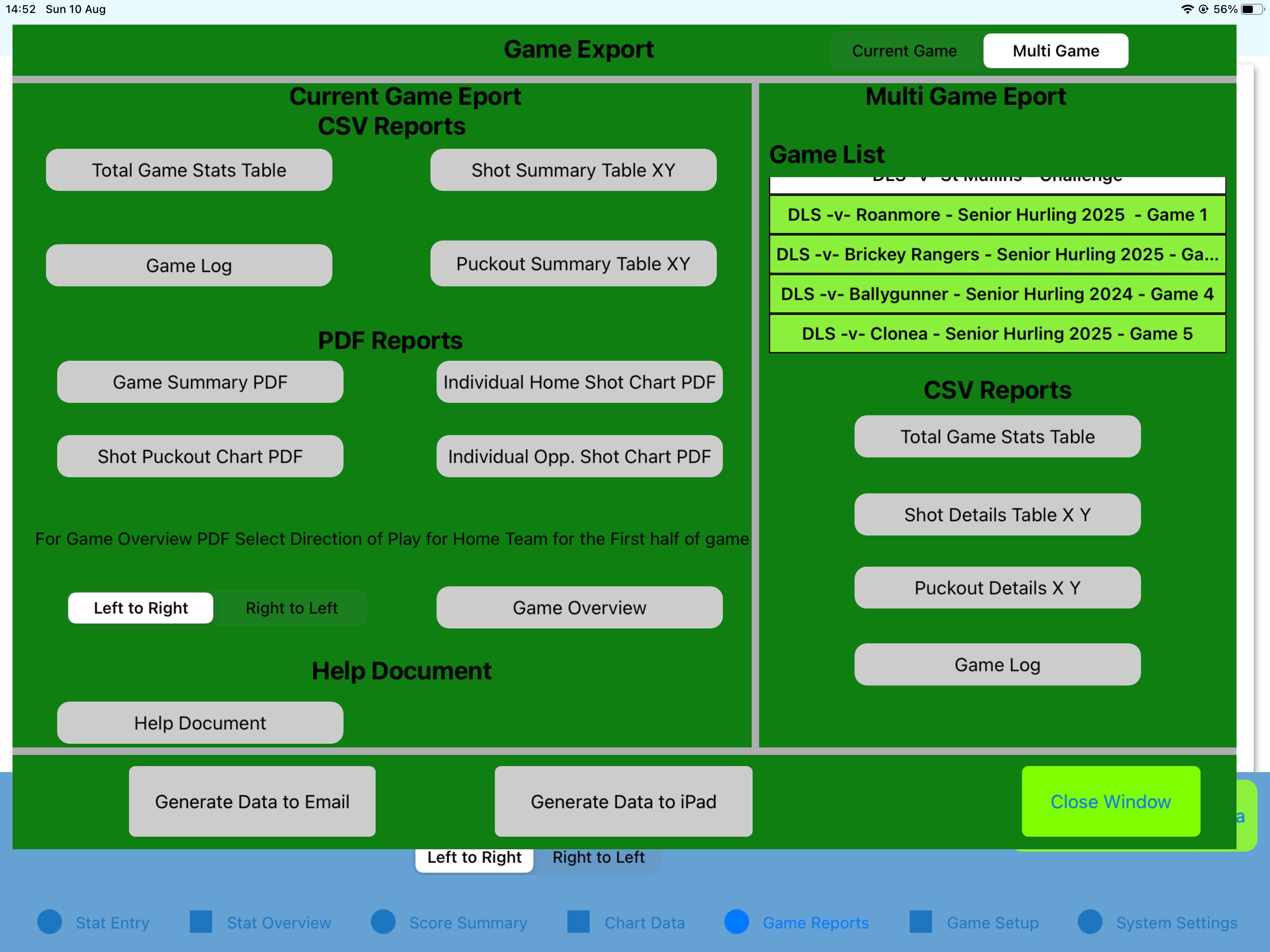
From this point, select the CSV reports required from the push buttons after which they will be highlighted in Green.
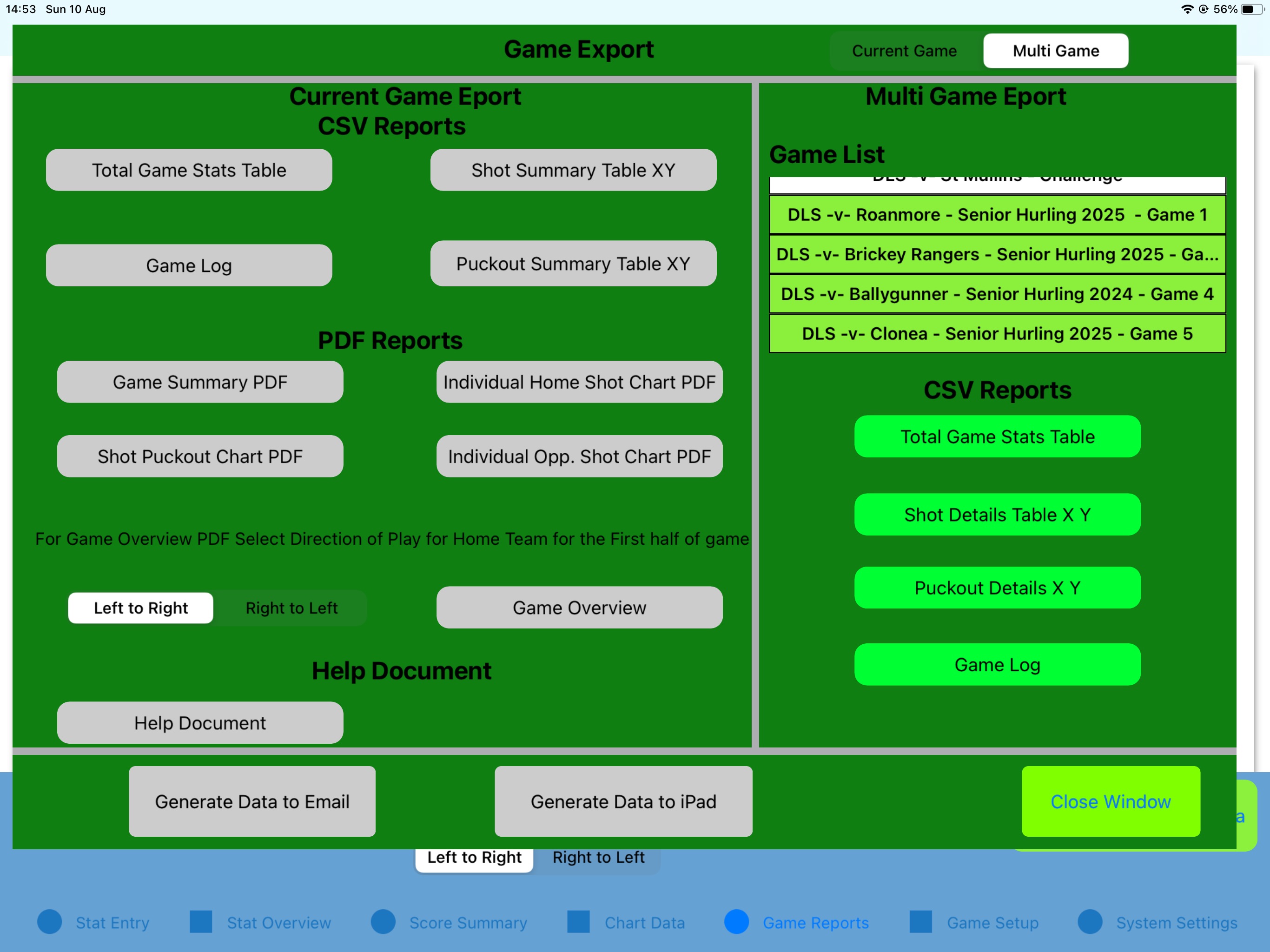
Finally, selecte Generate Data to Email or Generate Data to iPad to export the files.
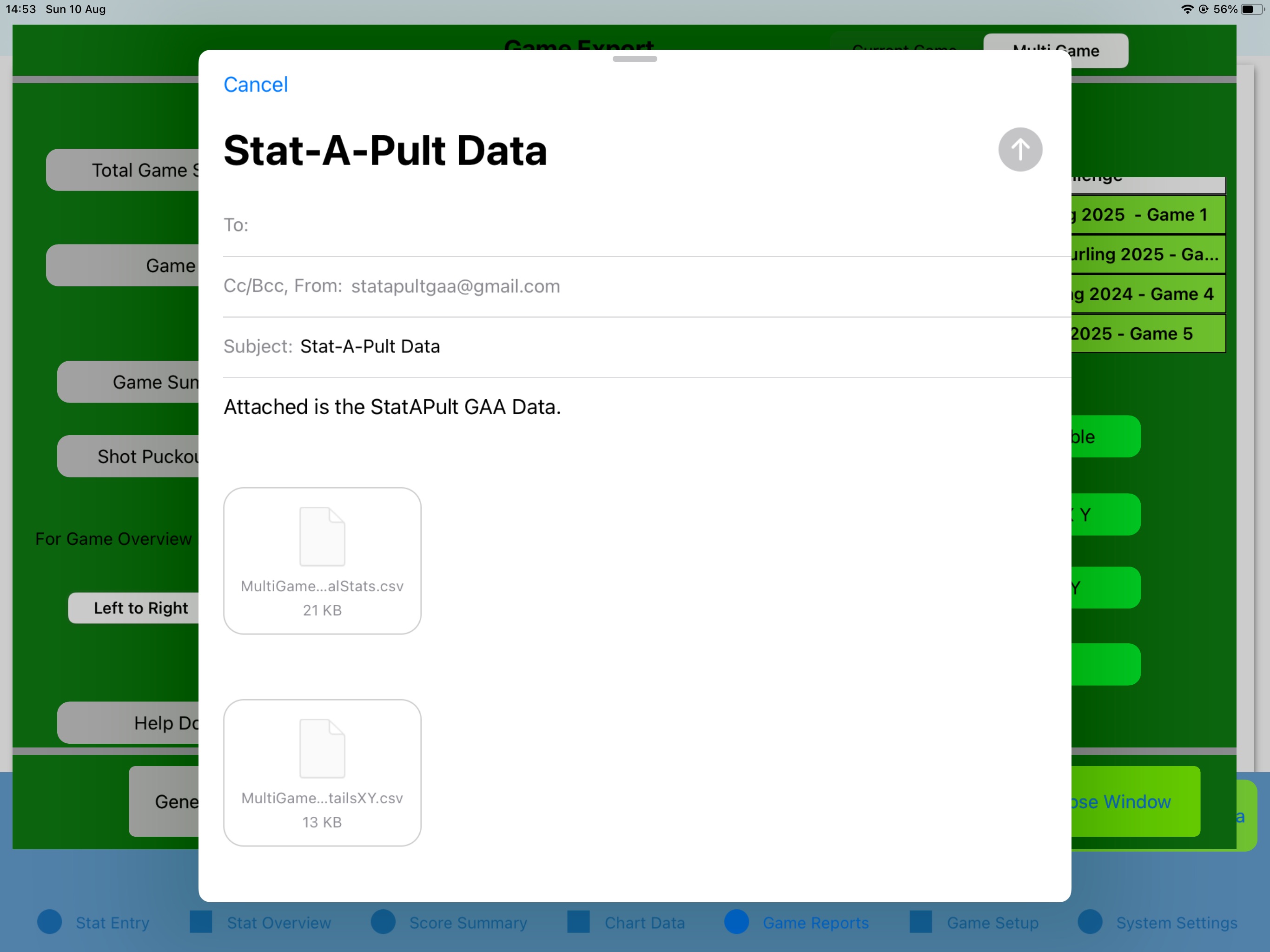
If you review the files you will notice that 2 additional files not selected are generated for each report.

MultiGame_GameDetails.csv: This file contains the reference to the GameID for each game (first column). This GameID is the key for all other files when cross-referencing Games to Stats. A GameID column is seen in the Shot, Puckout,Individual Stats and Game Log files and this GameID refers back to Game Details.

MultiGame_GameSettings.csv: This file contains the reference to the headings used for each game and also the KPI’s enabled for each game. This file also preserves the UserDefined stats for each game. The settings are exported for all games selected. You will see the reference to the GameID appended onto the end of the ActiveSettings,Headings and LocationEnabled rows in the settings file.

StatAPult GAA Version 3.2 now available from the App Store!

StatAPult GAA version 3.2 is now available from the App Store.

This version is tailored around allowing the users to enter more detailed data about the opposition. Using this version you can now enter Opposition Names instead of numbers for display in post game reports. Some changes have been made to the name changes for the Home team also to update all tables after a name change is used.

The following items are included in this update:
(1) Home Team player name change now changes Shot,Puckout and Zonal Data reports.
(2) Opposition player names can be entered for reports. See Note below.
(3) Opposition Player names entered previously will be used onwards in game. See Note below.

NOTE:- Please note that adding opposition player names is only applicable when a opposition stat (i.e. – Shot or Puckout Won) has been assigned against this player. Adding the name for players that do not currently have any stats assigned will not have any effect.

If you have any queries or comments please don’t hestitate to contact me – niall@statapultsoftware.com

Click here for Stat-A-Pult GAA in the App Store


StatAPult GAA Version 3.1 now available from the App Store!

StatAPult GAA Version 3.1 is now available for download. All existing users will receive this and all further updates free of cost

The changes included in this new version of StatAPult include:

  • Bugfix for Game Description – Bug fix relates to issues seen when an apostrophe was included in the Game Description.
  • Unknown Player available as option for Puckouts and Opposition Shots – This caters for scenarios where you are unsure of the player number for the stat but you still wish to record the statistic.
  • Individual Shot Charts for each player on home and away teams – This additional piece of information in the end of game statistics allows you to review the shot charts of each player from both home team and opposition at the end of the game.

If you have any queries or comments please don’t hestitate to contact me – niall@statapultsoftware.com

Click here for Stat-A-Pult GAA in the App Store

StatAPult GAA Version 3.0 now available from the App Store!

StatAPult GAA Version 3.0 is now available for download. All existing users will receive this and all further updates free of cost

The changes included in this new version of StatAPult include:

  • Puckout outcomes are now broken down further into Clean Catches and Breaking Balls for each team.
  • Updates for the Shot Zone Data on-screen and in end of game report to include specific shot outcomes for each zone.
  • Updates for the Puckout Zone Data on-screen and in end of game report to include specific puckout outcomes for each zone.
  • Location based for on-pitch tracking for any KPI – An additional screen has been added to the settings screen to allow you to turn on or off Location based data for any of the KPI’s. They can then be viewed in the Zonal Data screen and are included in the Post Game charts.
  • PDF report can be viewed from within the app as the game is running. Each time you select the new Game summary button from the Shot Overview screen it generates the PDF Game Overview document and it can be viewed on-screen.
  • Additional opposition data for shots. When you select an opposition shot you can then enter the number of the opposition player that took the shot and this shot data is available from the PDF Game Overview document.
  • Additional data on Puckout winners for both Home and Opposition – When you select the outcome of the puckout you can now select the player number that won the puckout. This data is available in the Game Overview document. This can be done for both Home and Opposition.

Please view the video below which demonstrates the new updates!

Click here for Stat-A-Pult GAA in the App Store