StatAPult GAA Version 4.4 is now available from the App Store.
This release contains a the following updates and enhancements:
(1) Bugfix for 2 Point scores missing in Shot/PO PDF report
This bugfix ensures 2 point scoring is added to the Shot/Puckout is added to the indiviudal shot PDF’s.
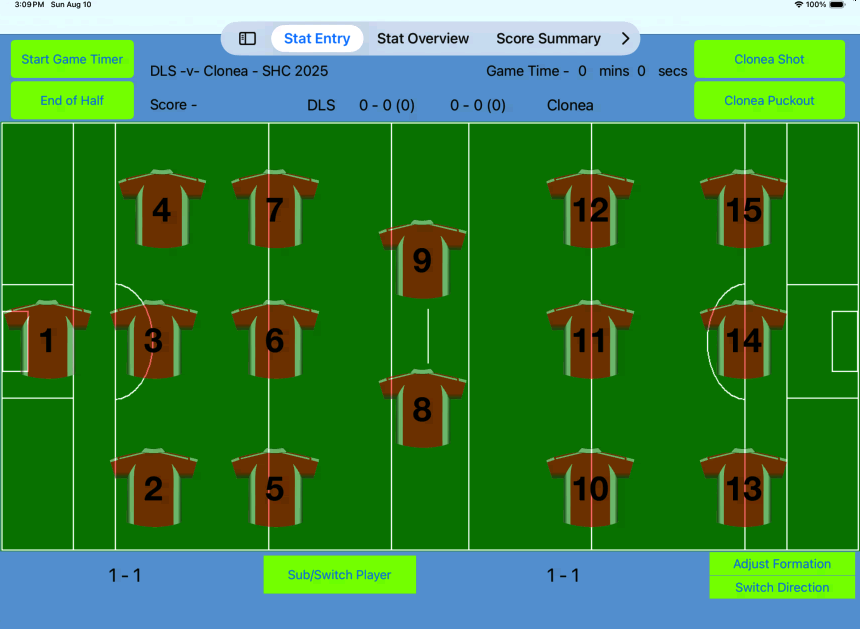
(2) Layout adjustments to cater for iOS 18 tab bar location.
Update to screen layout on all tabs to move text/buttons from behind the iOS 18 tab-bar. In previous releases on iOS 18 based iPads the tab-bar location was overlaid on text.
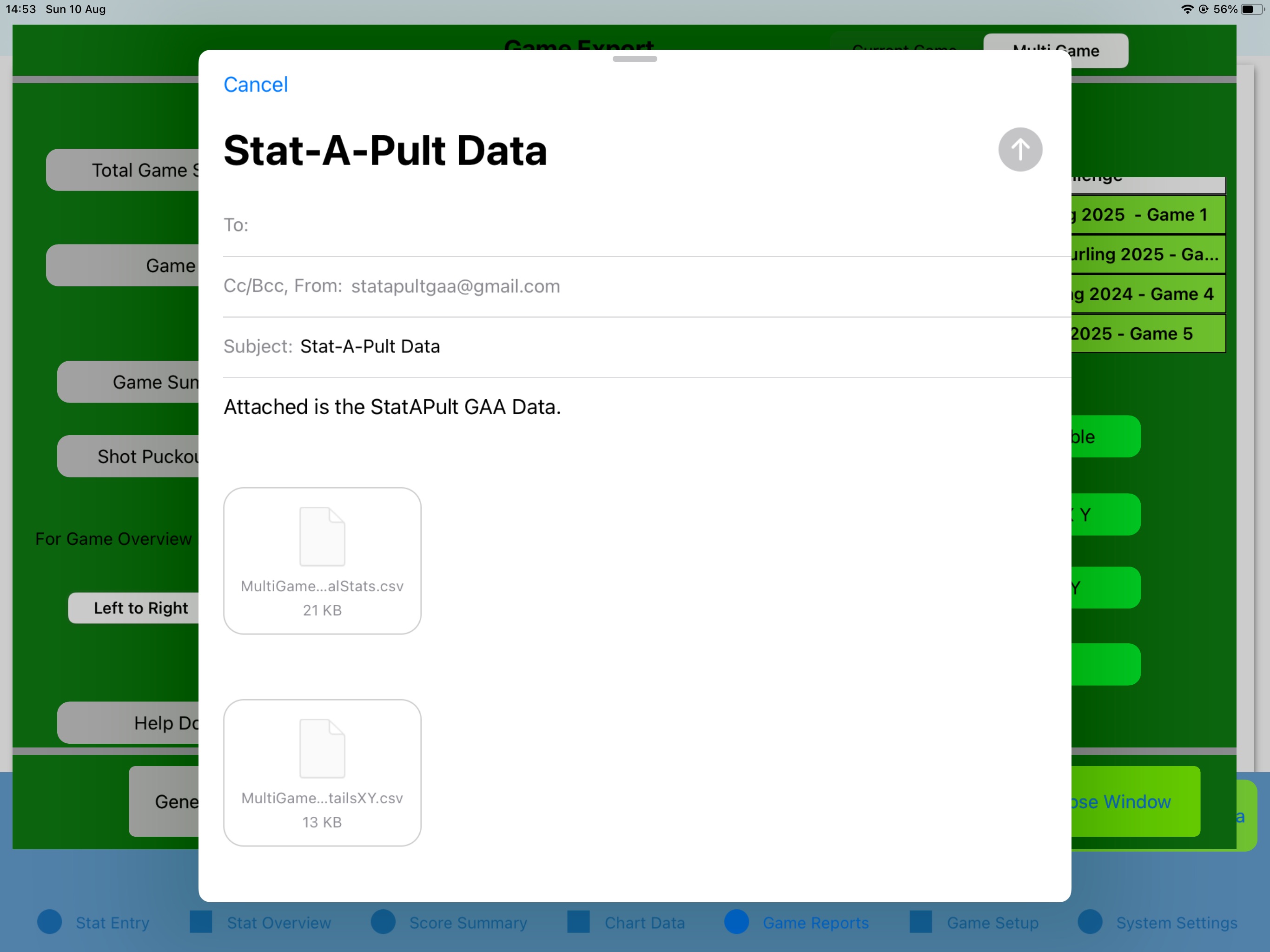
(3) Addition of multi-game export for CSV files.
This new addition allows you to export multiple games in same CSV file. This addition allows you to export the Shots, Puckouts, Total Individual Stats and Game Log.
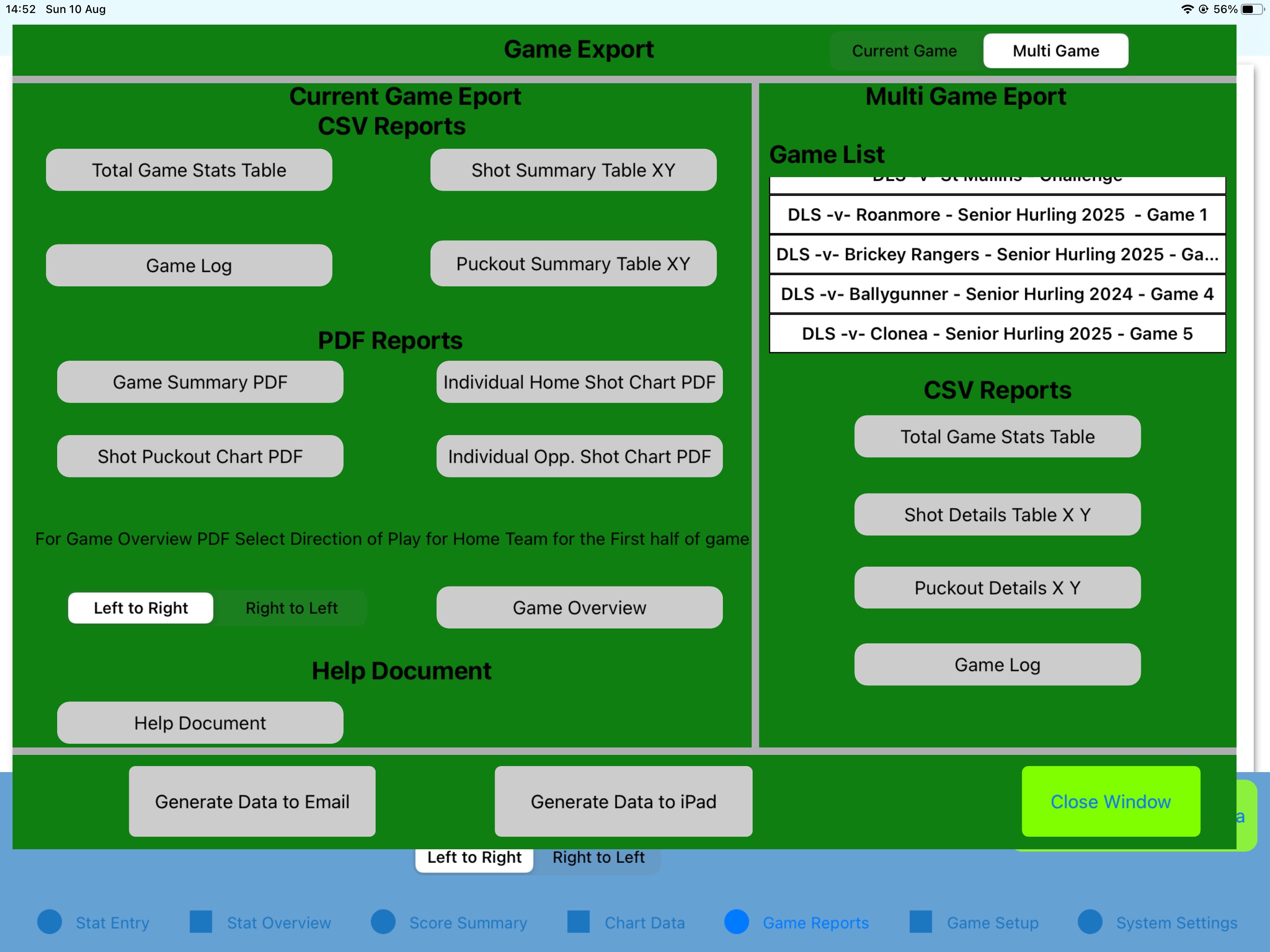
Navigate to the Game Export screen and you will see the new Game Export popup.
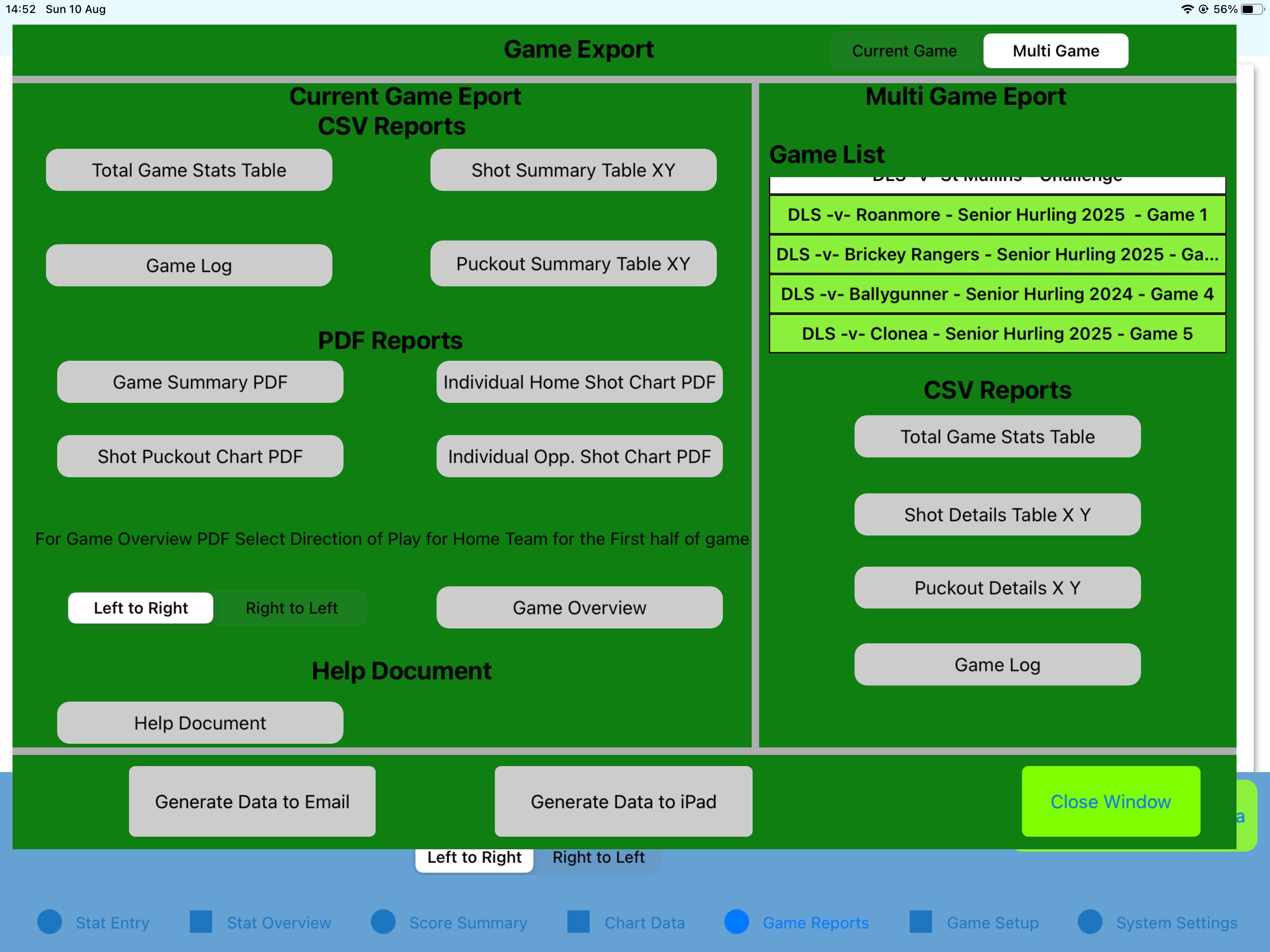
Ensure the slider in the top left is set to MultiGame. Now select the games by clicking on them in the game list. Once a game is selected the background is highlighted in green.
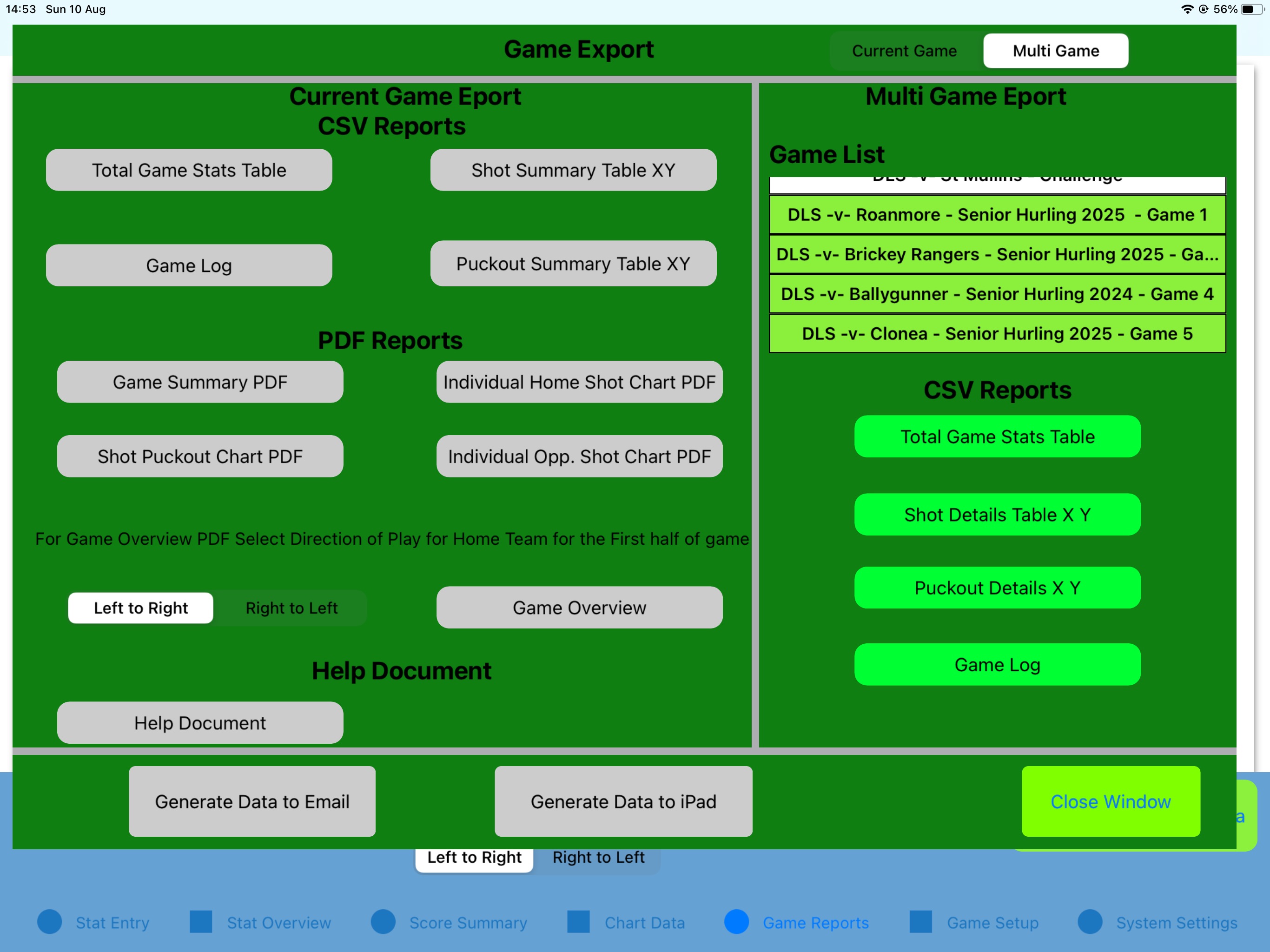
From this point, select the CSV reports required from the push buttons after which they will be highlighted in Green.
Finally, selecte Generate Data to Email or Generate Data to iPad to export the files.
If you review the files you will notice that 2 additional files not selected are generated for each report.
MultiGame_GameDetails.csv: This file contains the reference to the GameID for each game (first column). This GameID is the key for all other files when cross-referencing Games to Stats. A GameID column is seen in the Shot, Puckout,Individual Stats and Game Log files and this GameID refers back to Game Details.
MultiGame_GameSettings.csv: This file contains the reference to the headings used for each game and also the KPI’s enabled for each game. This file also preserves the UserDefined stats for each game. The settings are exported for all games selected. You will see the reference to the GameID appended onto the end of the ActiveSettings,Headings and LocationEnabled rows in the settings file.
StatAPult GAA Version 4.3 is now available from the App Store.
This release contains a the following updates and enhancements:
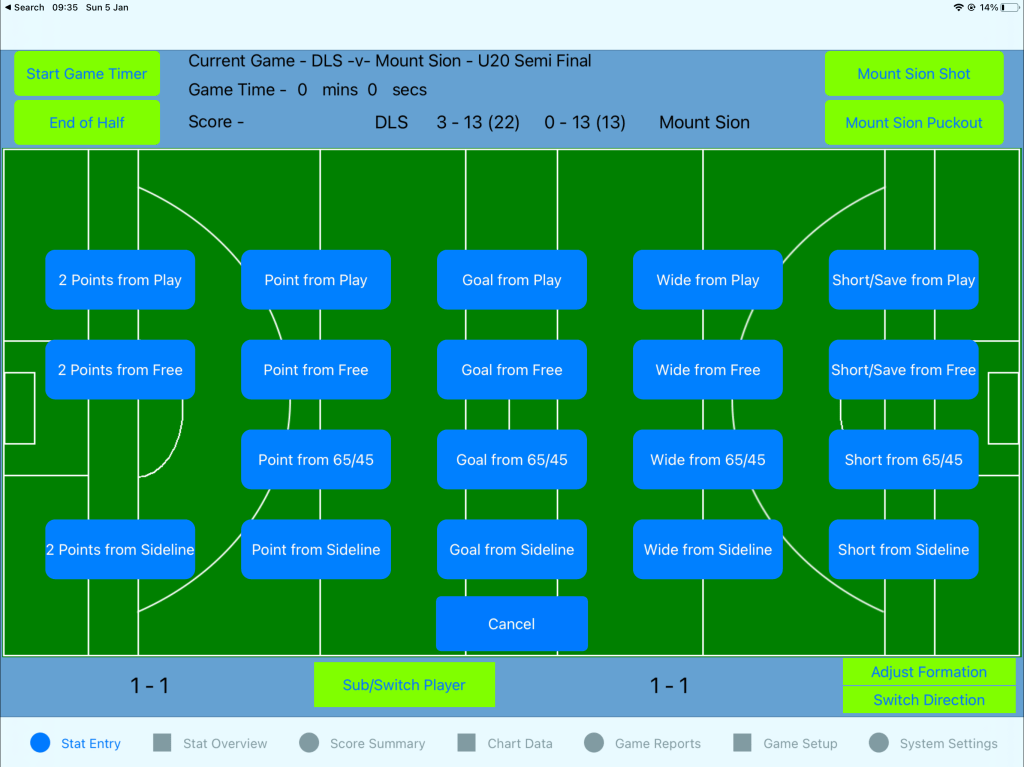
(1) Addition of new 2 Point scoring system for Gaelic Football
This new mode allows you to select a 2 point score as a Shot outcome for both teams. This functionality is activated/controlled from the Setting screen.
In addition to visually support this change an additional pitch layout is shown containing the 40m arc when this mode is selected.
All of the above functionality is controlled via the Gaelic Code setting in the Settings screen. Select Hurling/Camogie to keep the existing pitch and scoring settings (i.e Hide 2 Point score buttons) or alternatively select Gaelic Football to enable this functionality.
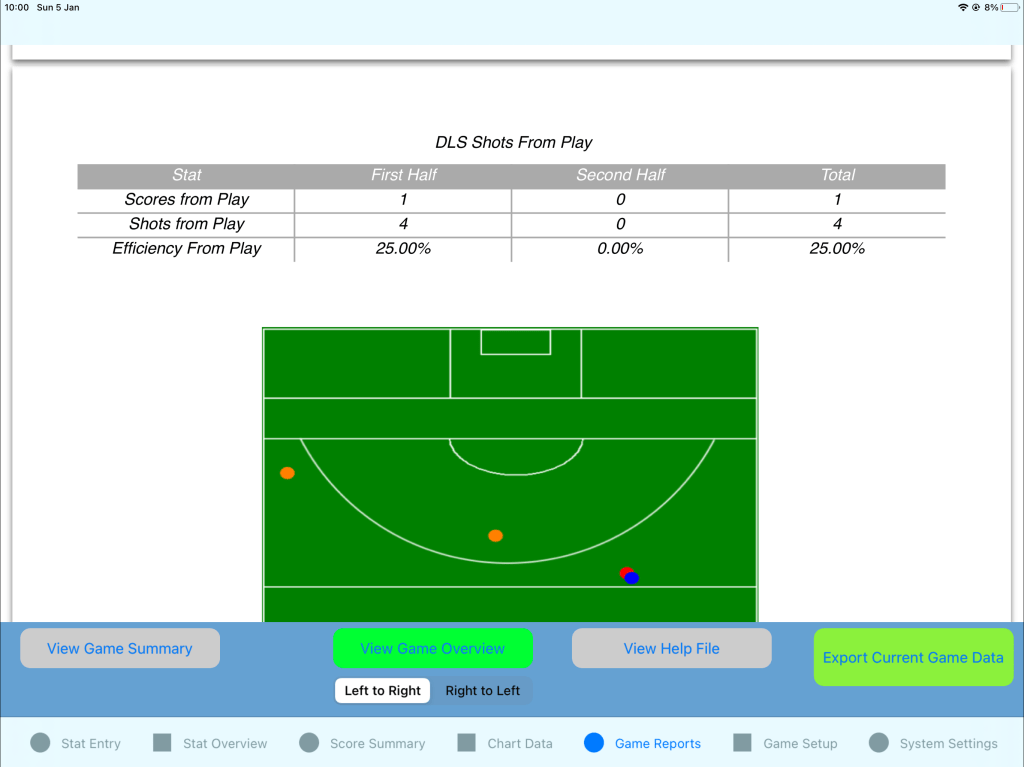
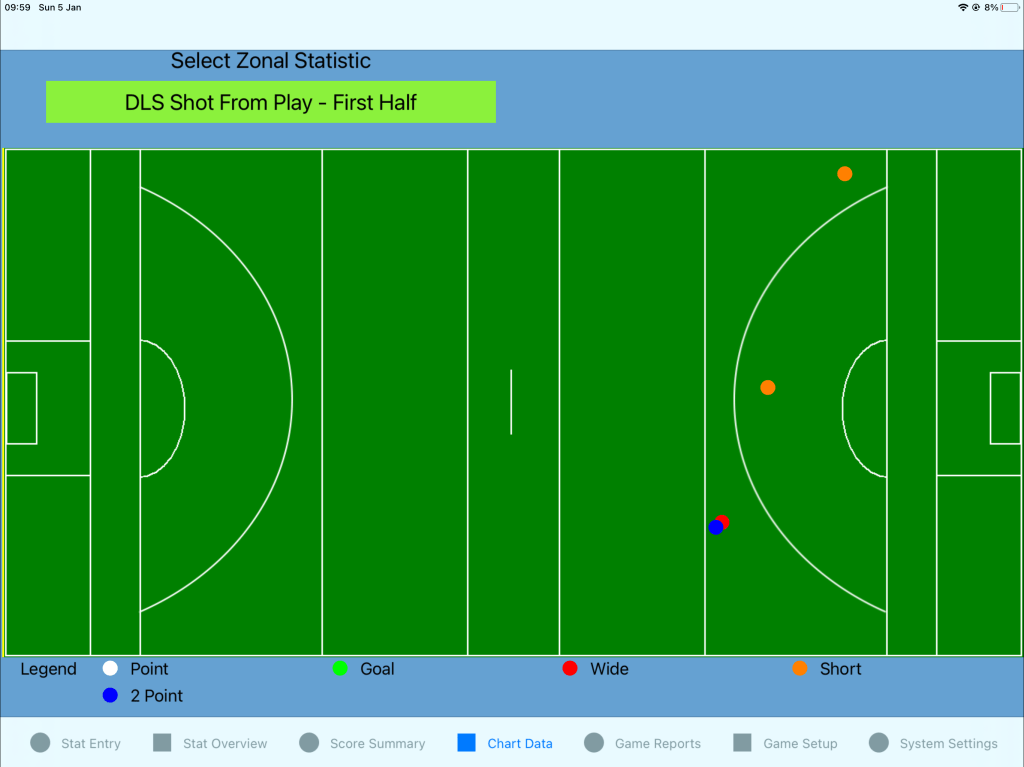
The 2 Point score is represented by a blue dot in the Game Overview and Chart Data screens.
(2) Updated Score Summary tab
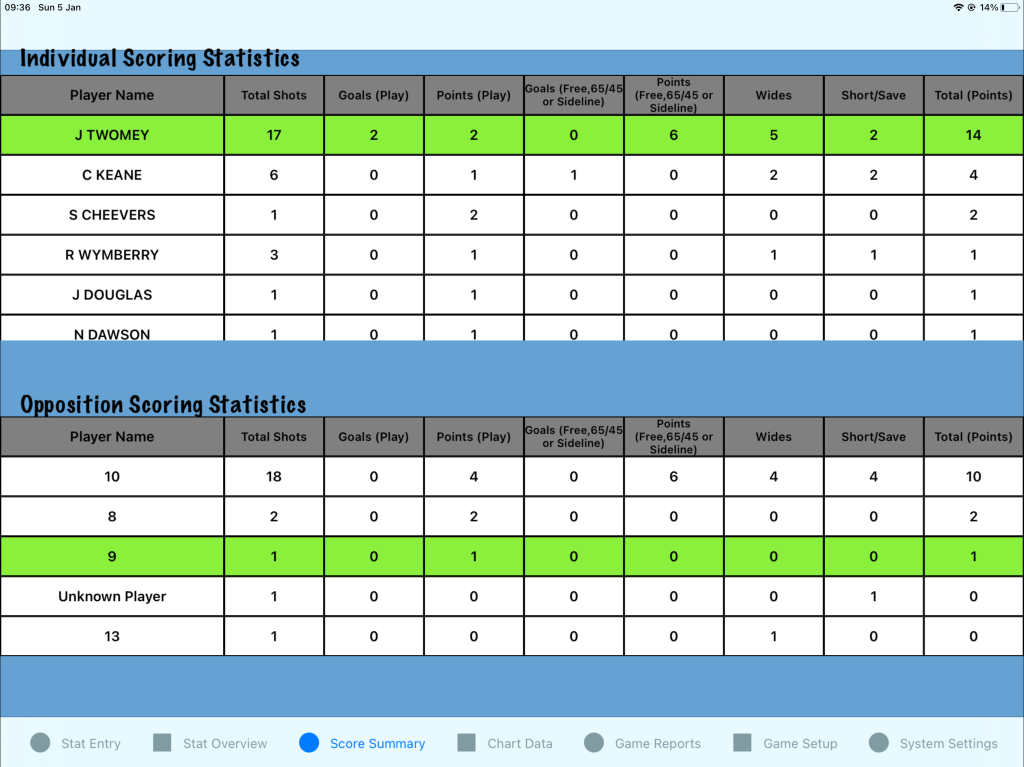
The Score Summary tab now also includes a breakdown of score by player for Opposition in addition to the home team. This allows you to see at a glance the Opponents shot efficiency by player. This view has also been added to the Game Summary PDF.
(3) Export Game Reports locally via Export to iPad functionality
This new addition allows for exporting reports to the local system or Files app rather than only to the iOS mail app as previously.
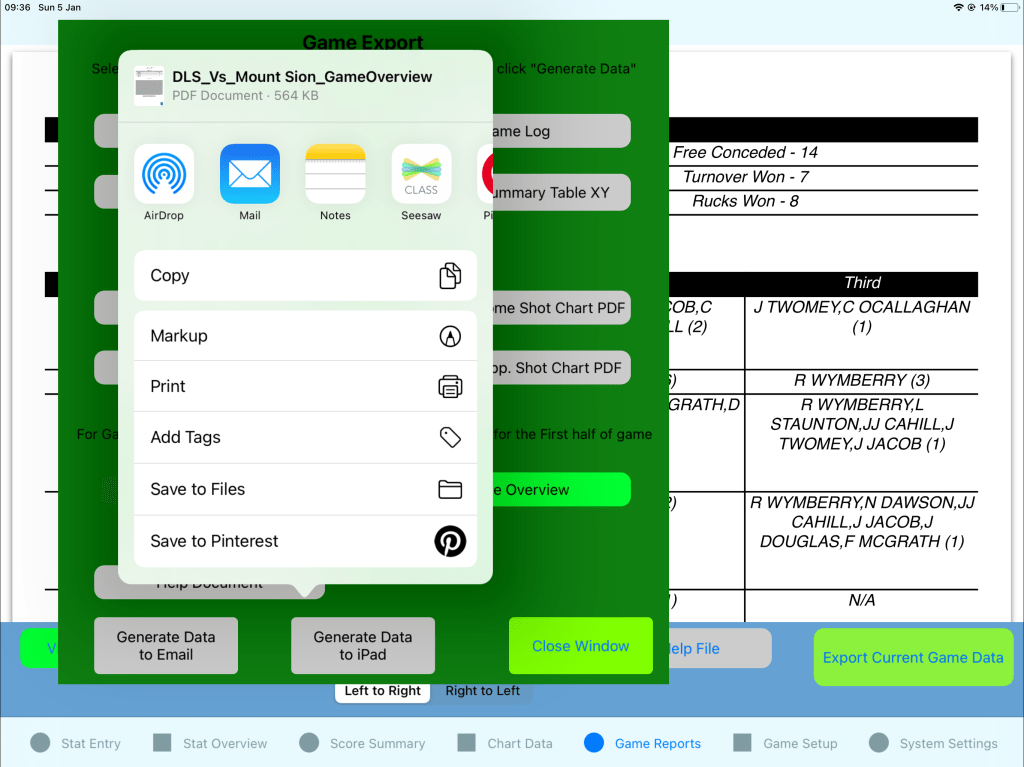
From the Game Export screen select reports to be generated and select the Generate Data to iPad button. From here various options based on Apps installed will be offered. In addition the Save to Files option is found from the context menu.
StatAPult GAA Version 4.2 is now available from the App Store.
This release contains a the following updates and enhancements:
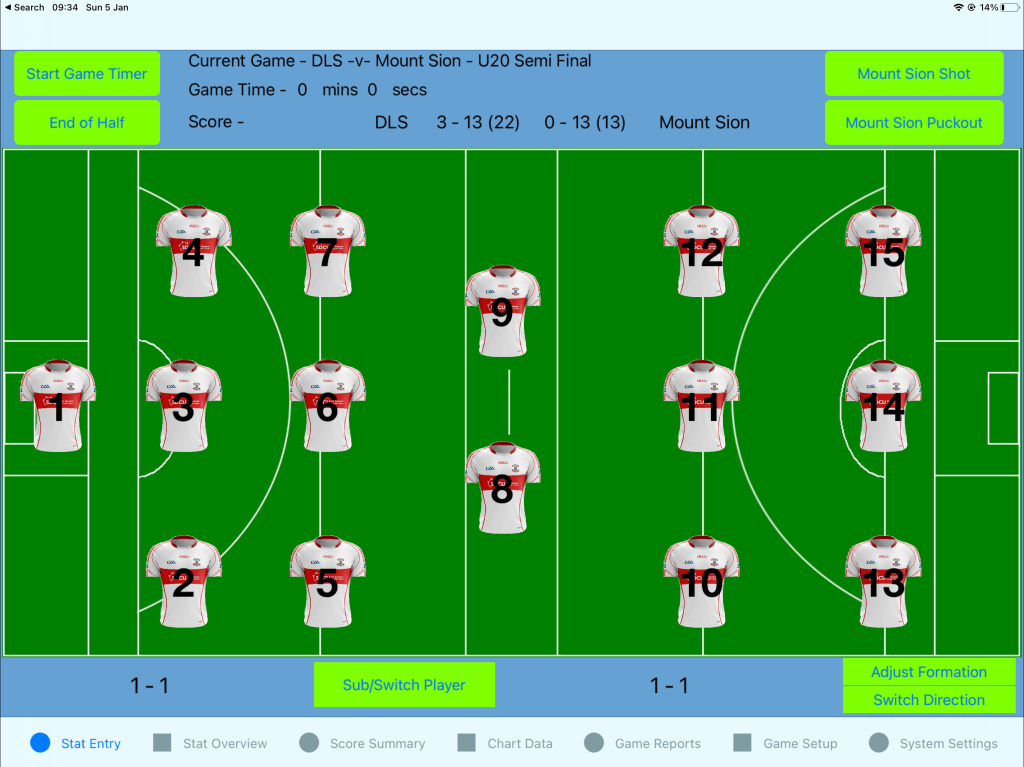
(1) Player Number and Name displayed on Stat Entry screens
Upon selection of a player number on the Stat Entry screen, the player name configured against that number is now displayed so you can quickly verify the Stat is assigned to the correct player.
(2) Functionality to Import/Export Squad data in CSV format
You may now export a squad and email and likewise Import a squad using the new Import/Export function on the Game Setup screen.
The exported squad is in CSV format and may be viewed and edited in Excel.
(3) Functionality to Import custom jerseys added.
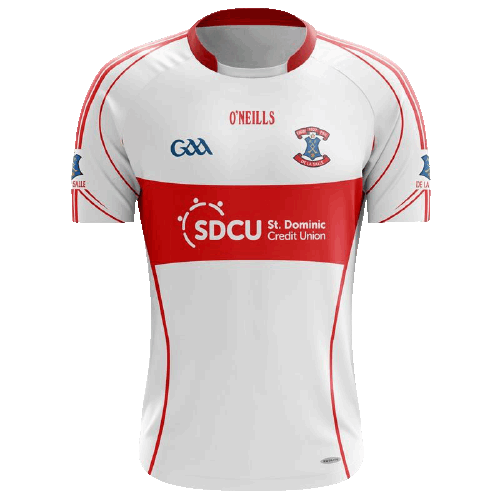
This new addition allows for further customisation but allowing the jerseys used on the Stat Entry screen to be updated to jerseys you upload in GIF/PNG format. Note for the best appearance ensure you use a transparent background on your image. This can be achieved with online editors such as LunaPic (https://www4.lunapic.com/editor/) or EZ-Gif (https://ezgif.com).
Sample image found below:
(4) Change of Shot Summary data table format in Game Summary PDF to show first/second and total efficiency.
Format of Shot Summary table updated.
(5) Addition of stats breakdown by player by half to Game Summary PDF
Additional table in Game Summary PDF to show stats breakdown by player by half. This can facilitate quicker feed back during the match.
StatAPult GAA Version 4.1 is now available from the App Store.
This release contains a the following updates and enhancements:
(1) Bug fix Button text for start of new game when App is not restarted between games.
(2) Addition of new Shots vs Scores log by Team in Game Overview report.
(3) Bug fix for deletion of Location-based KPI’s zonal data from reports.
Bug fix Button text for start of new game when App is not restarted between games.
When starting a new game without exiting the app between new games in the previous release the Start and End Game buttons did not reset text.
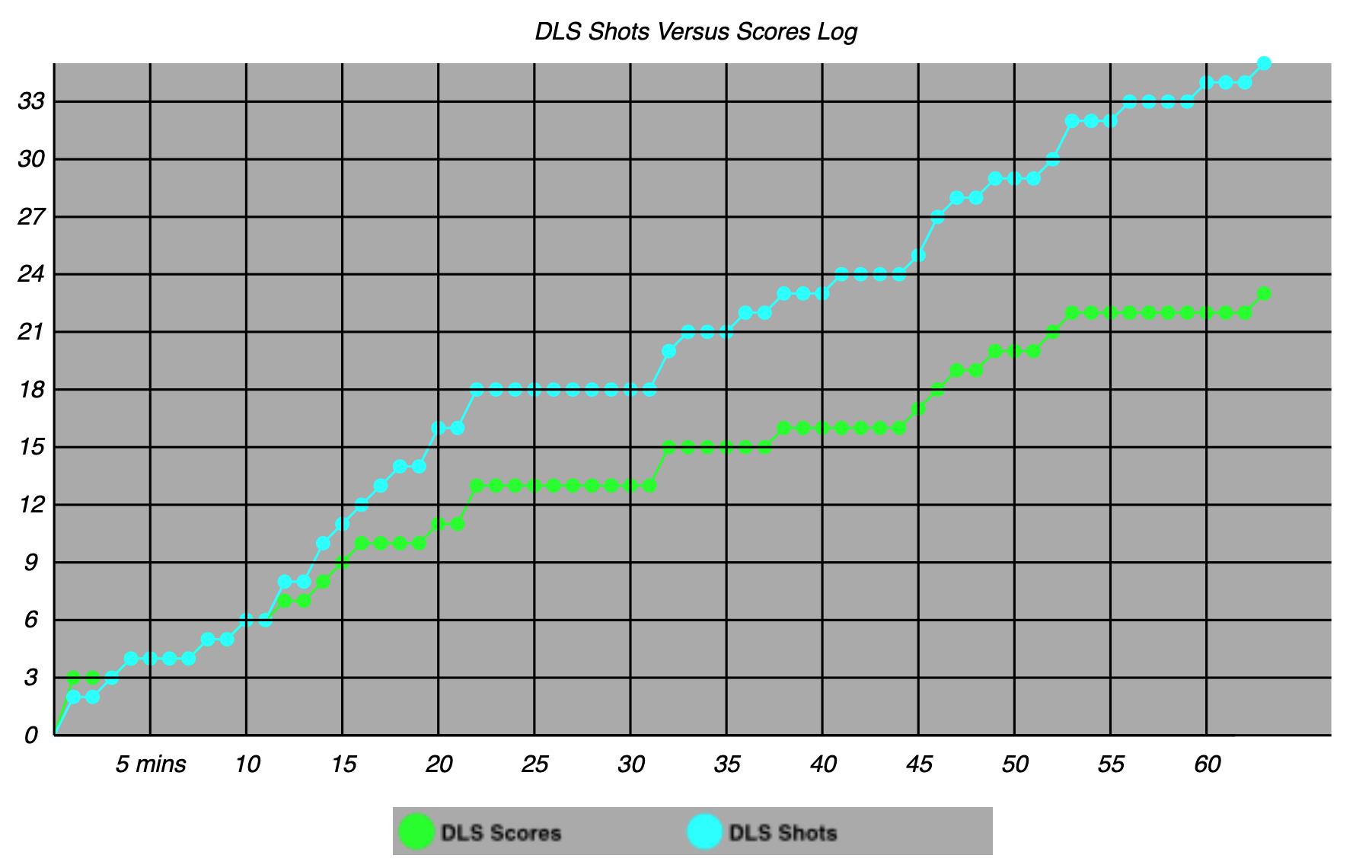
Addition of new Shots vs Scores log by Team in Game Overview report.
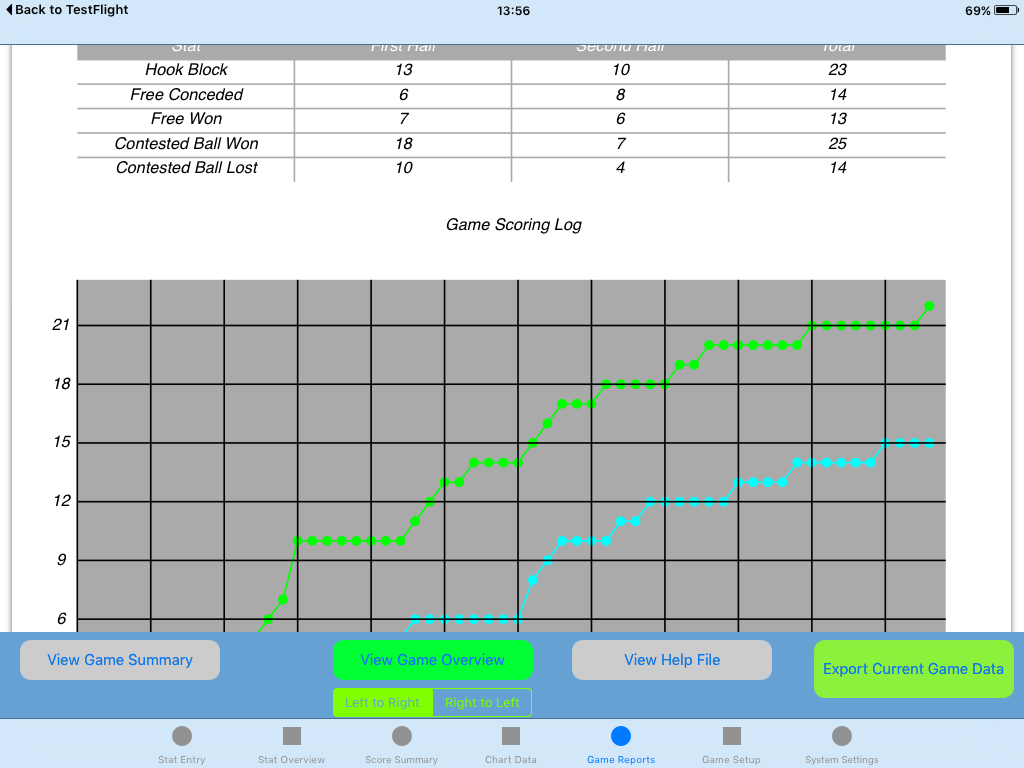
A new chart of the Shots vs Scores log by Team has been added to the Game Overview report. When the report is now generated a new chart is shown tracking the number of shots versus overall score (in points) minute by minute in the Game.
Shorts Vs Shots sample
Bug fix for deletion of Location-based KPI’s zonal data from reports.
In previous revisions, when a game was deleted the Location-based KPI’s data was not deleted.
StatAPult GAA Version 4.0 is now available from the App Store.
This major release contains a the following updates and enhancements:
(1) Addition of Game log for downloading full time-coded stat data
(2) Removal of Zonal Grid view based shot and puckout details from reports.
(3) Addition of functionality to deal with shots from 65/45’s and Sidelines during game.
(4) Addition of new Game Overview PDF file.
(5) Help tab changed to “Game Reports” tab.
(6) Ability to hide a player from the Stat Entry screen
(7) Addition of Ball Directly Out Of Play as an outcome for Puckouts/Kickouts during a game.
Addition of Game log for downloading full time-coded stat data
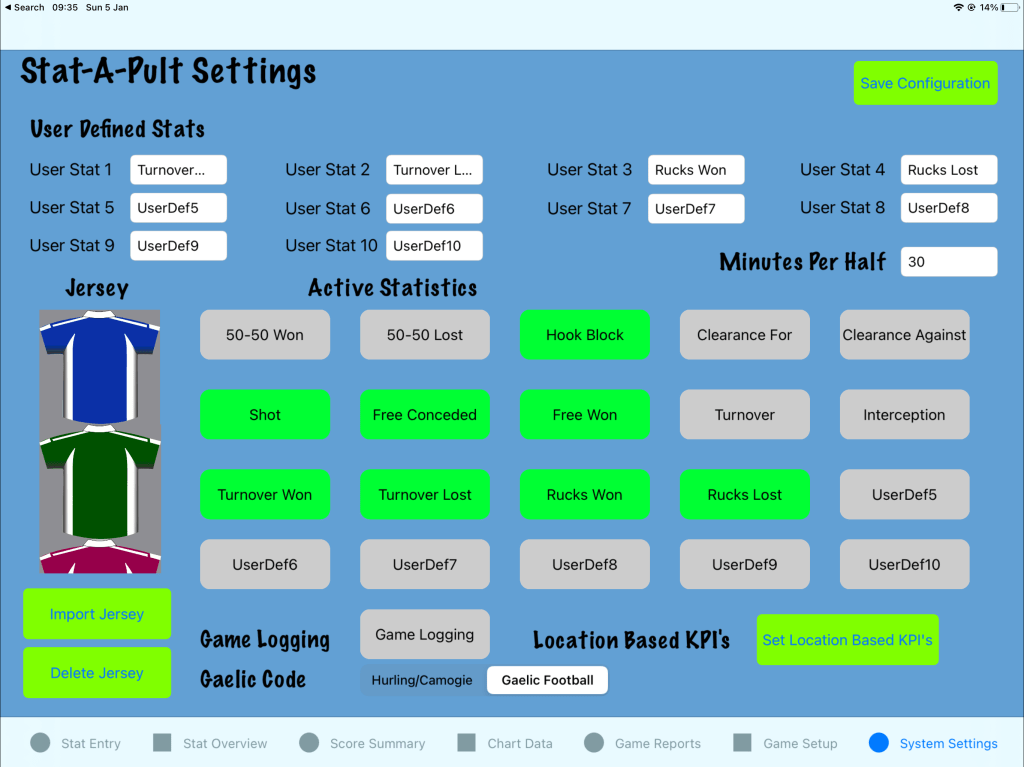
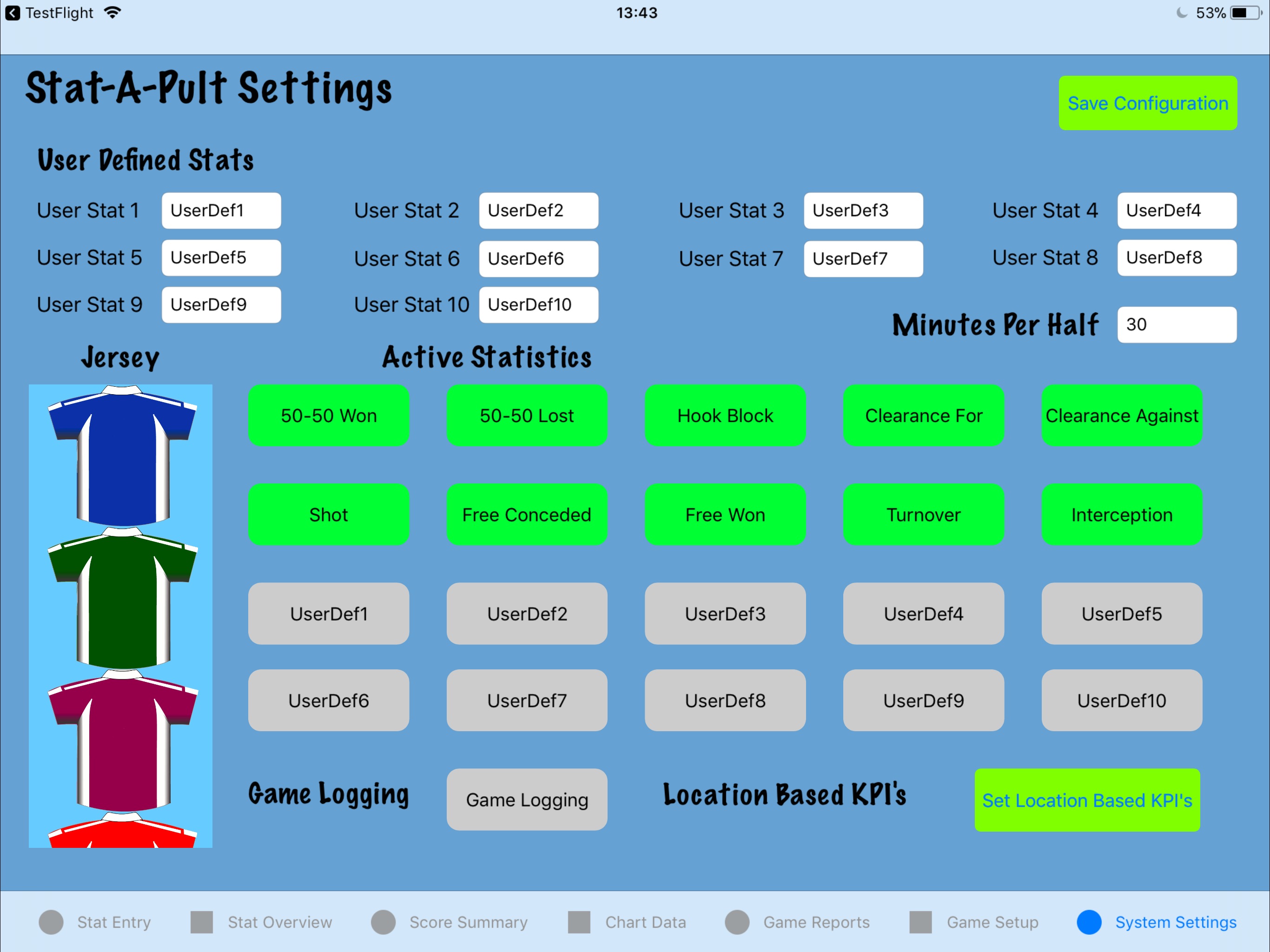
Using this functionality all stats recorded during the game are kept in a single game log which can be exported post game in CSV format. This may be used as in input into video analysis software or likewise used to identify time-based patterns during a game. Game logging can enabled from the Game Settings screen by clicking the “Game Logging” button as seen in the screenshot below and then selecting Save Configuration.
Game Logging
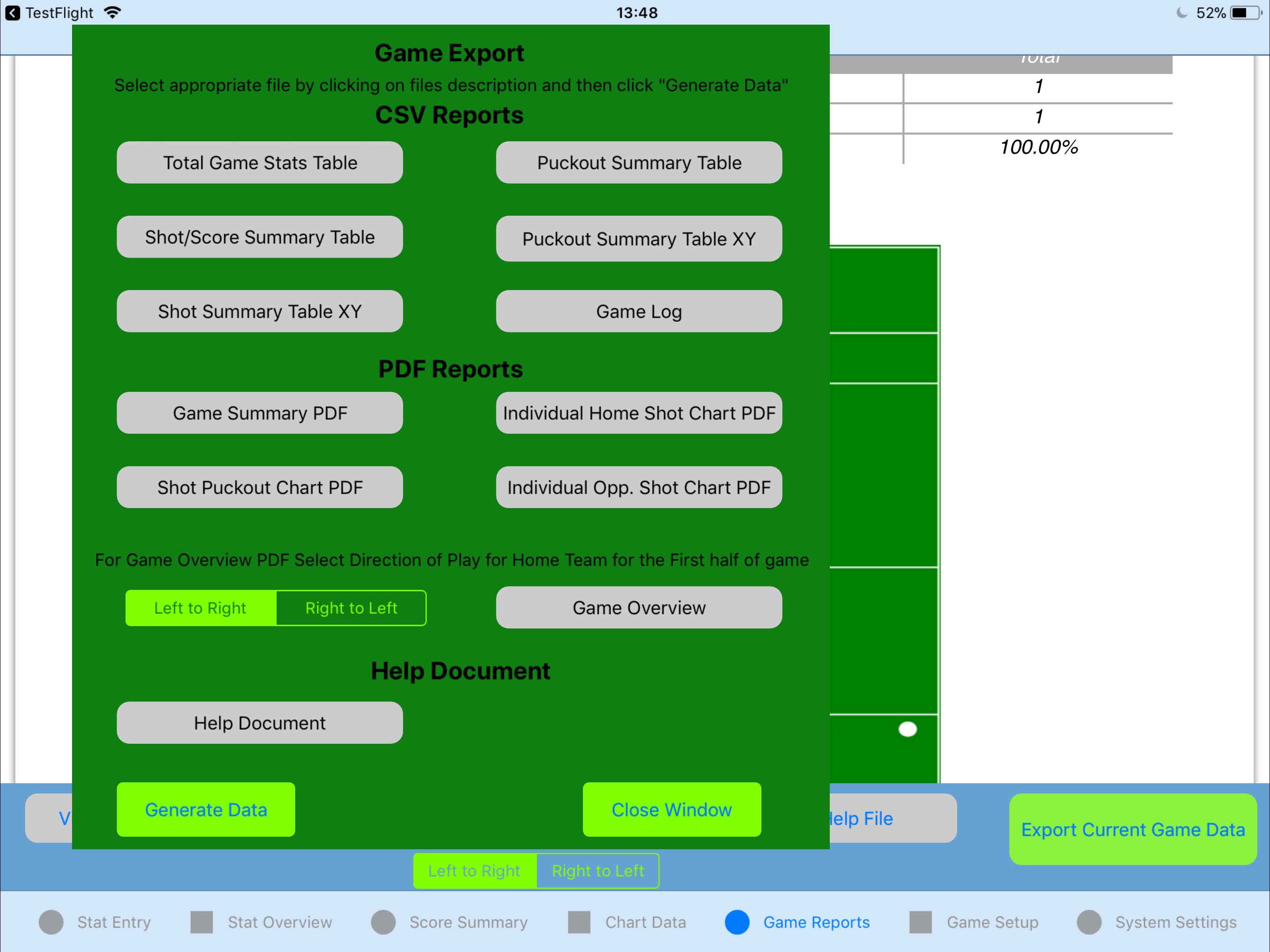
At the end of the game you can export this to email by selecting “Game Log” from the CSV Exports section of the Export Game Data button as seen in the screenshot below.
Game Logging Export
Removal of Zonal Grid view based shot and puckout details from reports.
In order to simplify the review of location stats mid-game and reduce the size of the post game reports the Zonal Grid data has been removed from the Shot and Puckout/Kickout summary documents and Chart Data tab.
The actual position based data is now contained within the exported documents. As an addition only the stat for which an individual player has data for is now included in the exported data.
Addition of functionality to deal with shots from 65/45’s and Sidelines during game.
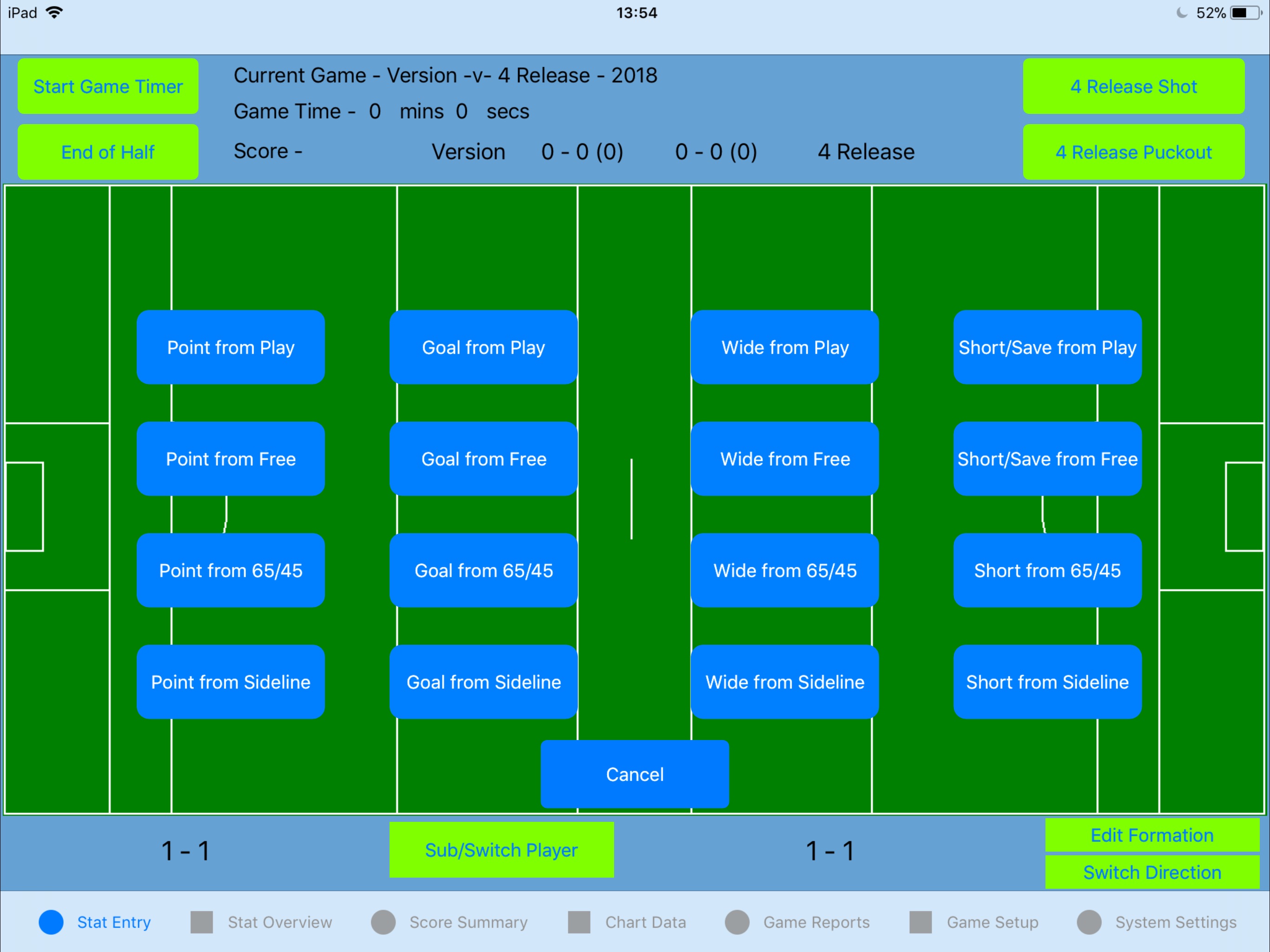
The shot functionality has now been extended to include shots from 65/45 and Sidelines during a game. Any games created in Version 4.0 onwards will have the option to record shot outcomes from both 65/45 and sidelines as seen in the screenshot below.
65/45 and Sidelines on Shot Outcomes
The shots can be reviewed from the Chart Data tab in the same way as shows from Free and Play.
Addition of new Game Overview PDF file
A new Game Overview PDF has been added which includes:
(1) A table containing all recorded stats by half.
(2) A run score chart by minute in the game.
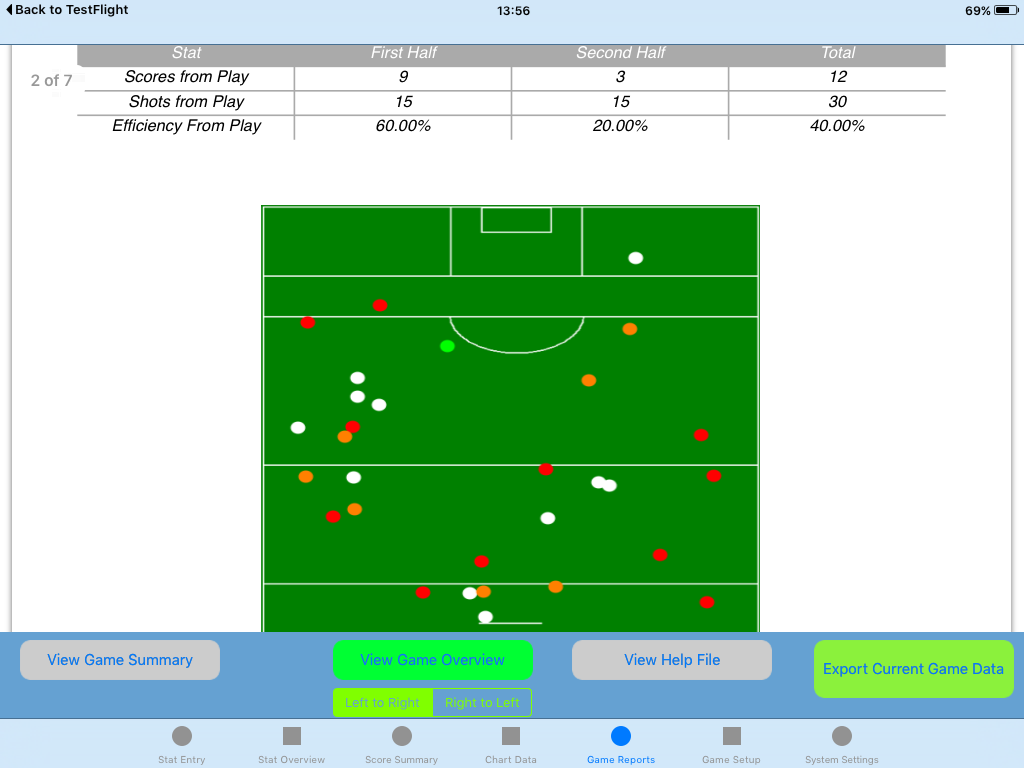
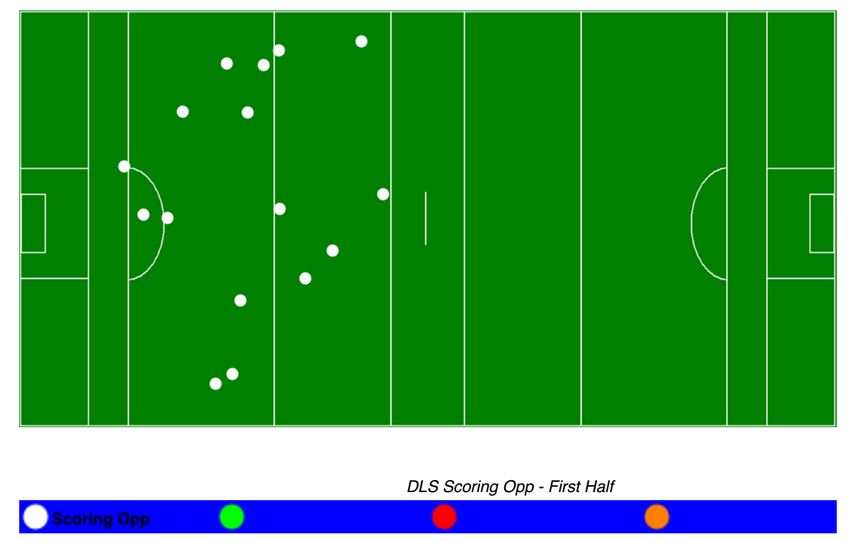
(3) Consolidated Shot Charts showing both halves data on a single chart in the same direction from Play,Free, 65/45 and Sideline for both Home Team and Opposition.
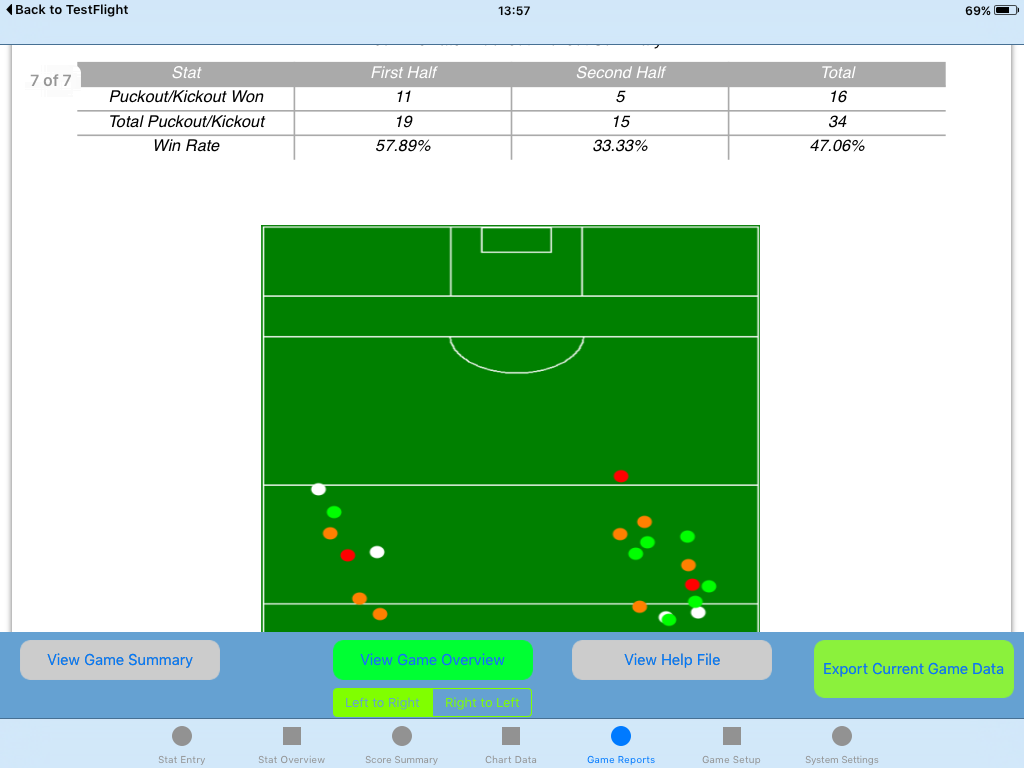
(4) Consolidated Puckout/Kickout charts for both teams.
The following are some sample screenshots. Game Overview Sample 1
Game Overview Sample 2
Game Overview Sample 3
Please note that the Game Summary can also be generated and exported for pre 4.0 recorded games.
Help tab changed to “Game Reports” tab
From this tab the Game Summary file,Help file and new Game Overview can be viewed during the game.
Ability to hide a player from the Stat Entry screen
This allows the user to deal with scenarios where players are sent off or using in games of less than 15-a-side.
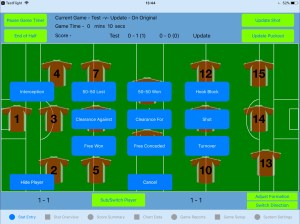
This can be done by clicking the “Hide Player” button from the bottom left corner after selecting the relevant player as seen below. Hide Player Part 1
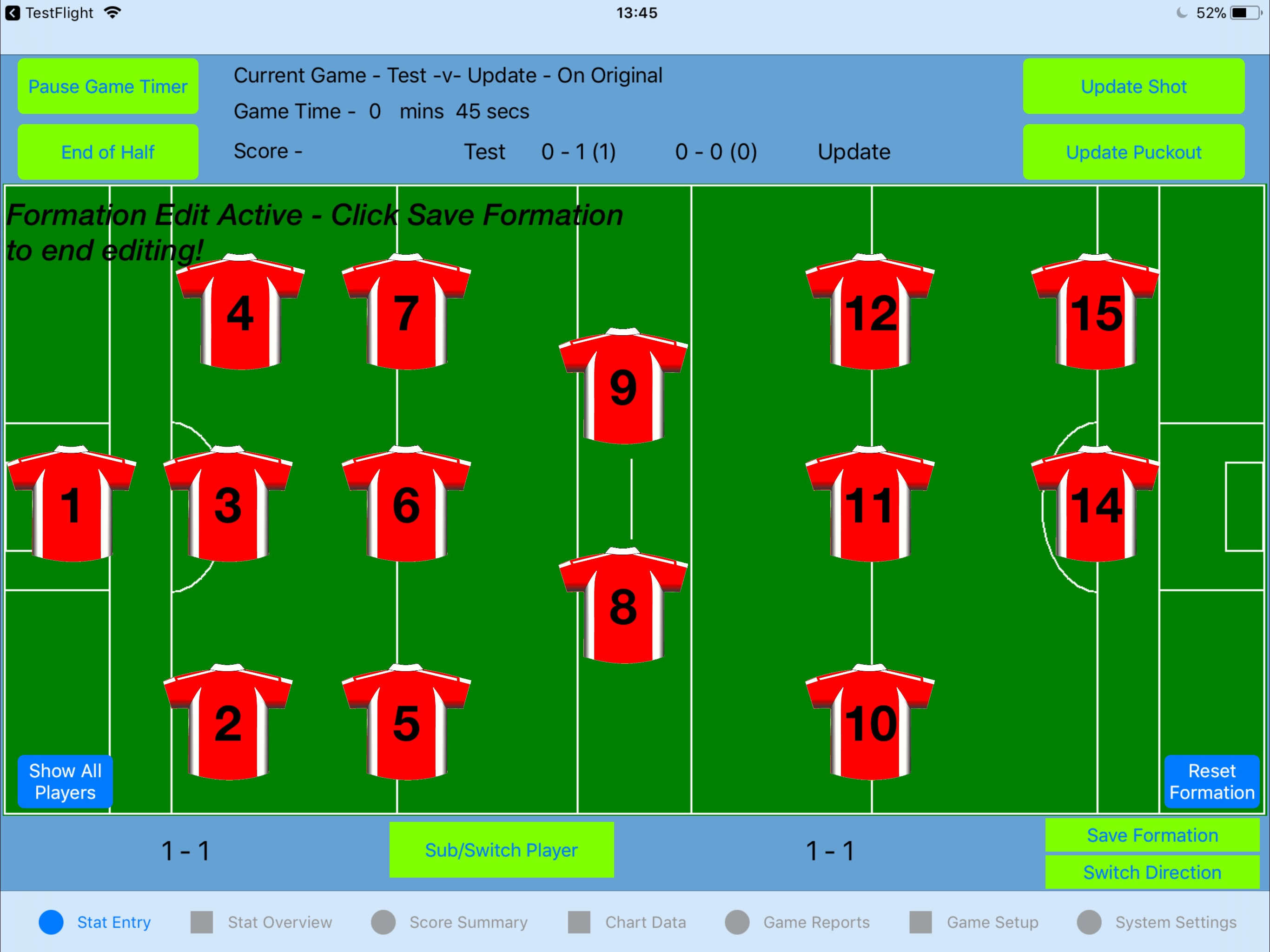
Should you wish to undo this click on the “Adjust Formation” button and select the “Show all Players” button in the bottom left. Show All Players
Note all players are also automatically shown again as soon as a new game is started or resumed.
Addition of Ball Directly Out Of Play as an outcome for Puckouts/Kickouts during a game
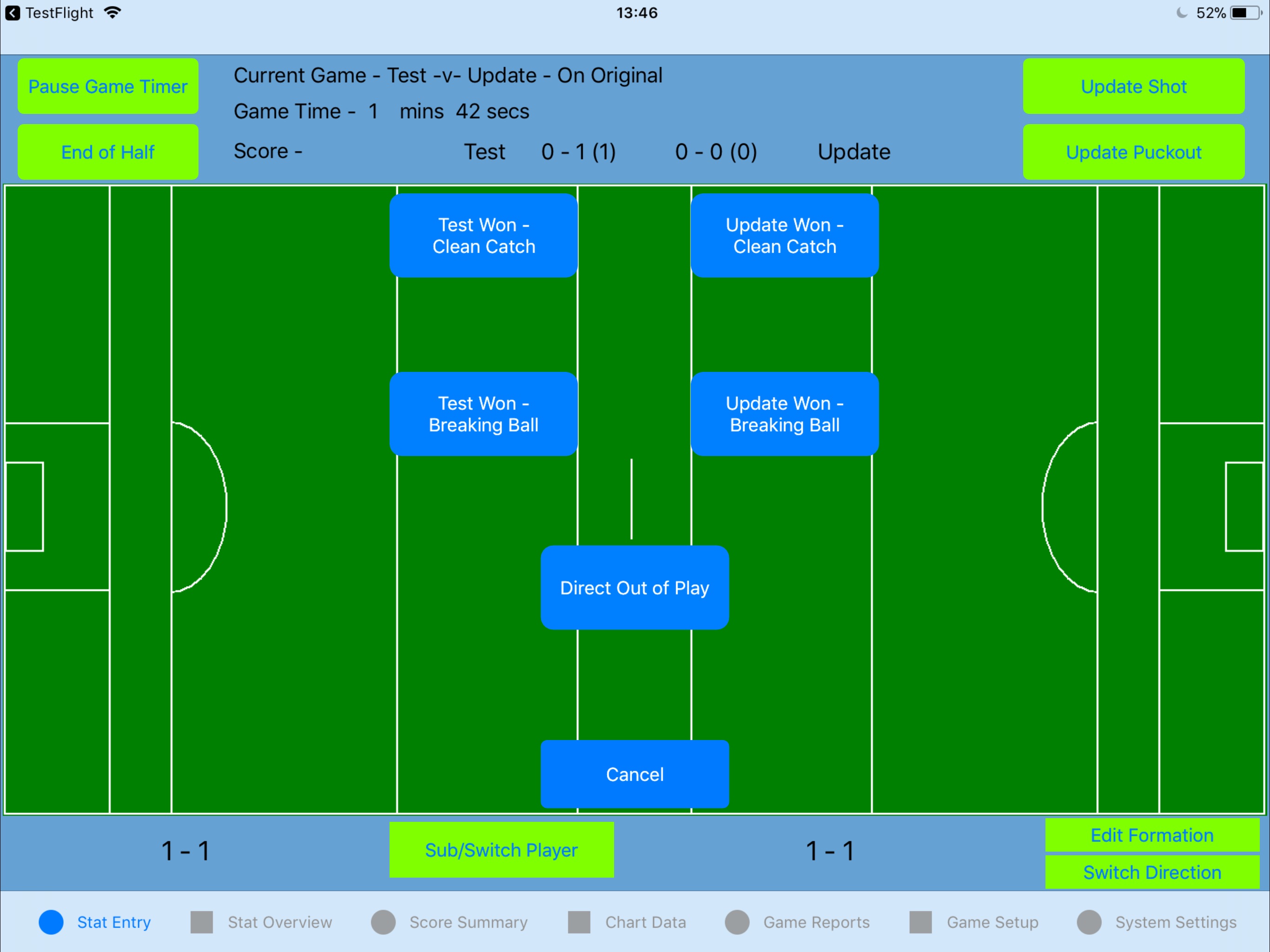
Once an location for the relevant Puckout/Kickout is selected the “Direct Out Of Play” button now becomes visible as an option as seen below.
Direct Out Of Play option for Puckouts/Kickouts
You will still be prompted to select a player that won the should you wish to assign the Possession win against a particular player.
StatAPult GAA Version 3.8.3 is now available from the App Store.
This release contains a the following enhancements and bug fixes:
(1) Update squad save functionality to allow for editing of currently saved squads.
(2) Change to Puckout Summary generation in Game Summary PDF
(3) Fix for Opposition Scores from Free in Game Summary
(4) Location based KPI’s now show both actual position and zonal data
Update squad save functionality to allow for editing of currently saved squads.
You may now edit currently saved squads by selecting the squad from the squad list. When you have made your changes and click save you will be prompted to acknowledge you are overwriting a currently saved squad. Selecting Yes will complete this action or you may click No and change the Save squad name.
This will not effect player details for already completed games with this squad.
Change to Puckout Summary generation in Game Summary PDF
This bugfix related to using the newer location based puckout details table for the Game Summary PDF. Previously if you cancelled a puckout after selecting the pitch location the puckout may have been counted in the Game Summary data.
Fix for Opposition Scores from Free in Game Summary
Opposition scores from frees were incorrectly reported in the Game Summary PDF.
Location based KPI’s now show both actual position and zonal data
This enhancement now means that any location based KPI you setup and use will be reported with its actual pitch location in both the Zonal Chart tab and the Shot & Puckout summary PDF at the end of the game.
StatAPult GAA Version 3.8 is now available from the App Store.
This release contains a bug fix and update to handling of incorrectly entered scores:
Detail:
The bug fix relates to entering of opposition player names post game. Previously if you had used the same opposition team name by default the player names entered then would be used. However this fix allows the player names for opposition to be specific to both the opposition team name and the particular game.
The second change improves the handling of incorrect scores entered. Both the shot and score are now removed meaning the total summaries in the game summary PDF are correct. Also the individual stat summary is decremented to correct the number of shots.
StatAPult GAA Version 3.7 is now available from the App Store.
This update allows the user to export individual files at the end of a game for post game review. This replaces the previous method where all 8 files were sent for all games.
Usage
On the Stat Overview screen with a game active click “Export Game Data”.
The popup screen below is shown
Game Export Data 1Select the desired export files by clicking on the descriptions. The selected items highlight in green.
Game Export Data 2Click “Generate Data” to generate the data and create the email as seen below.
StatAPult GAA Version 3.6 is now available from the App Store.
This update allows the user to view the actual location chosen for Shots and Puckouts on the Zonal Data screen and in the End of Game export PDF’s and adds support for Extra time at the end of a game.
(1) Actual Location Data for Shots and Puckouts
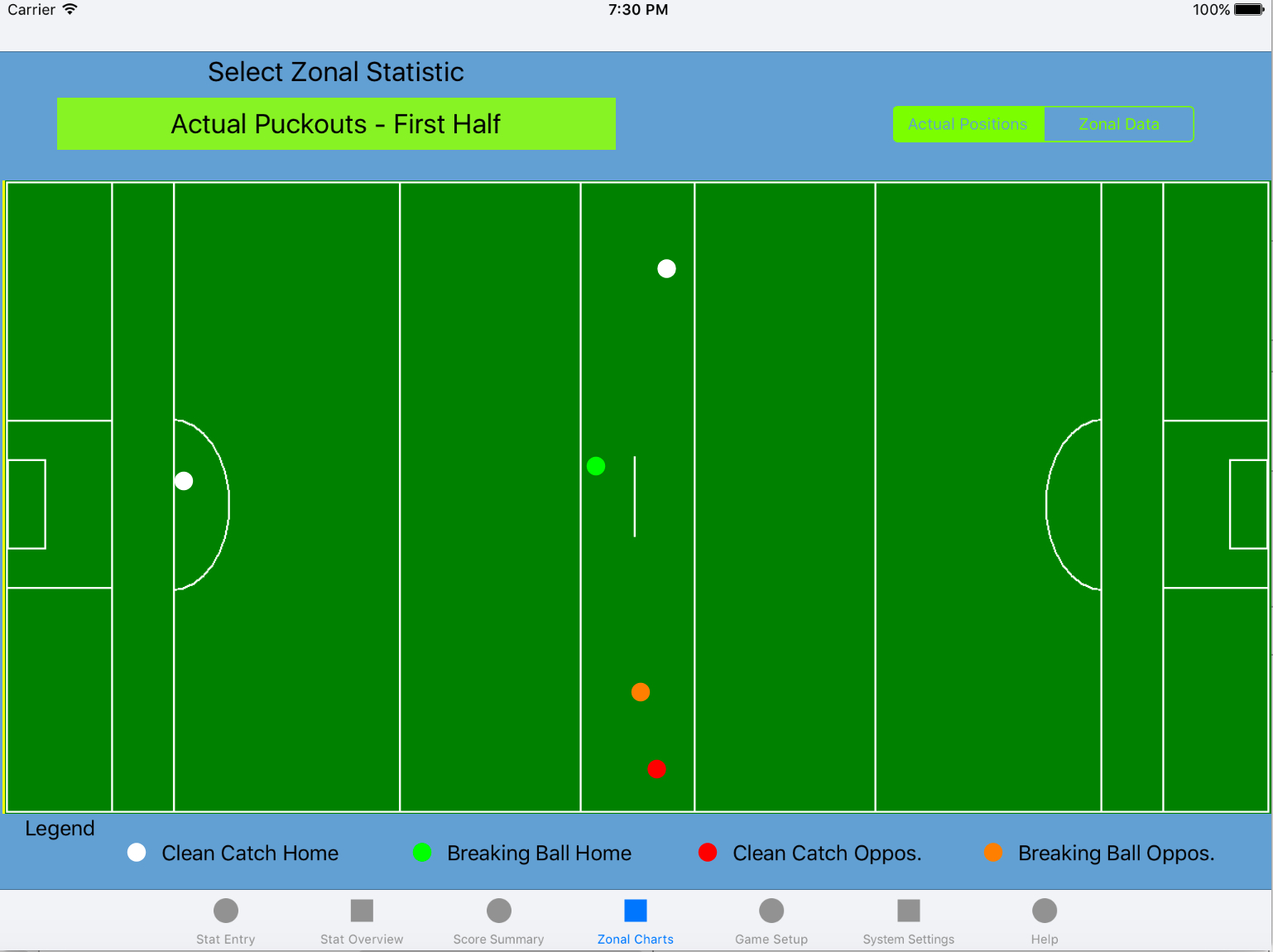
On the zonal data screen select the ‘Actual Positions’ from the slider and you can view the colour-coded shot and puckout outcomes as per the images below.
New Actual Data for Shots
New Actual Data for Puckouts
(2) Support for Extra Time
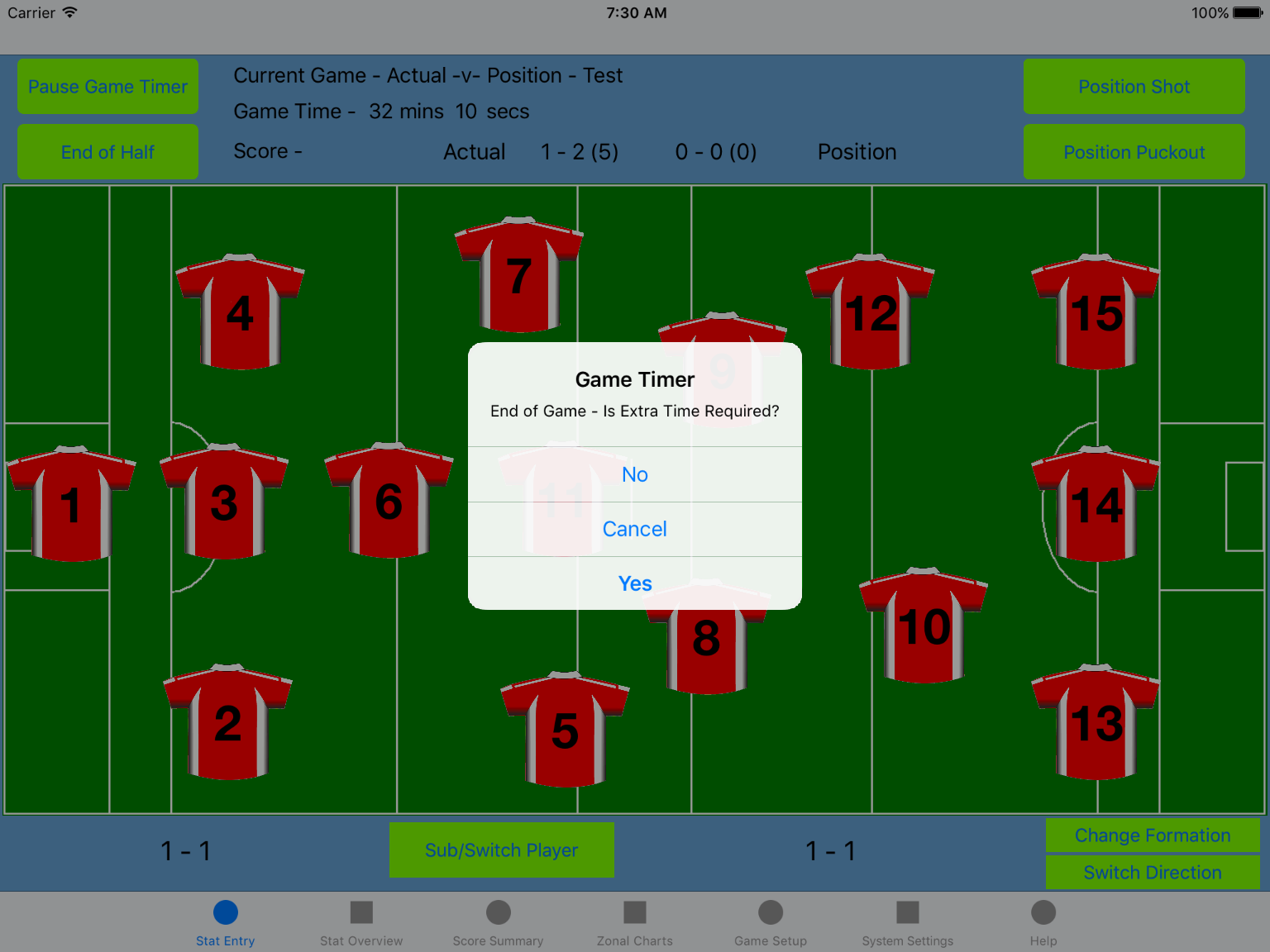
When the user selects the end of half button while in the second half they will no be prompted to select if there is Extra time to be played as in the figure below. New End of Game prompt
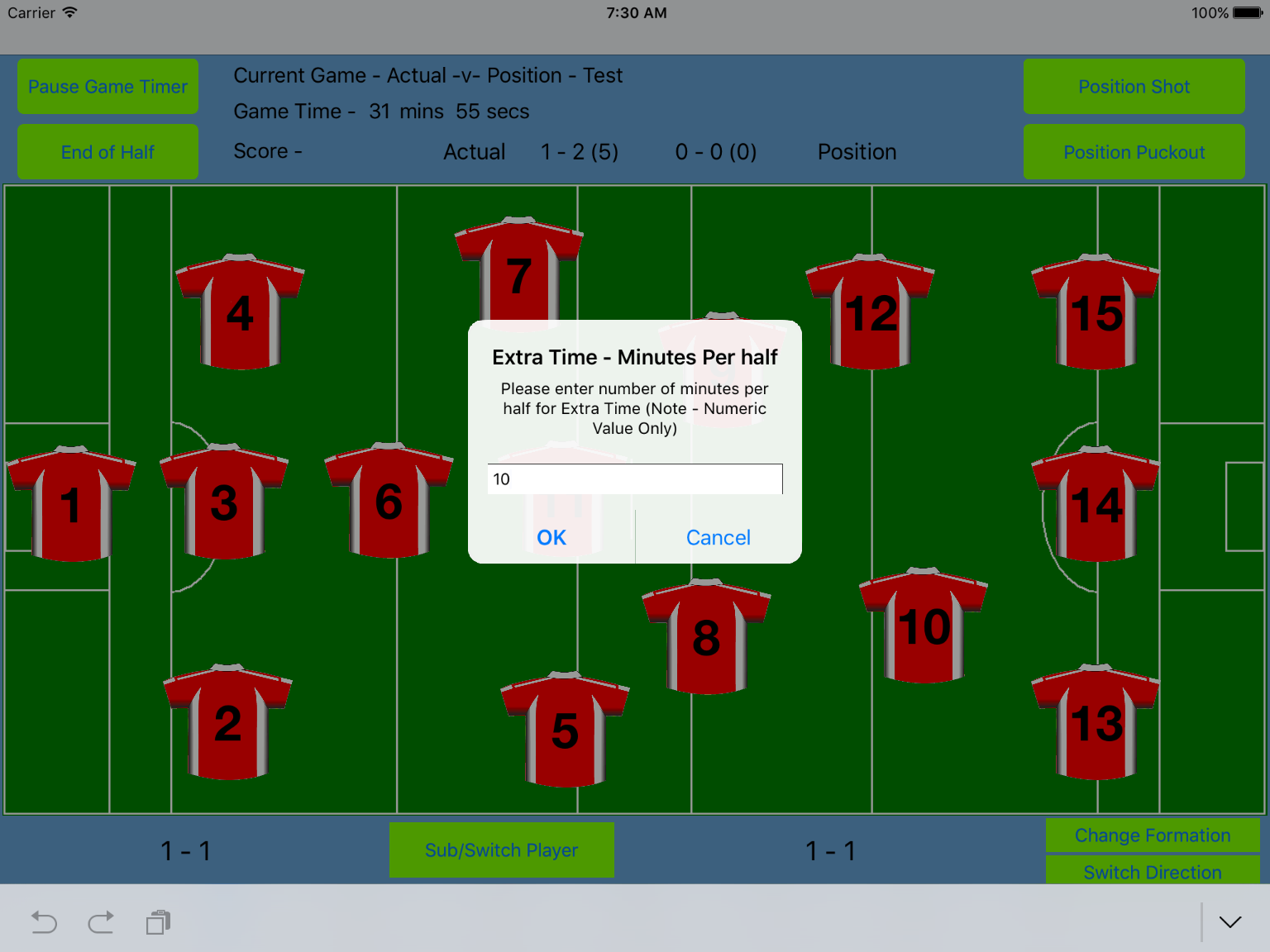
Selecting No will end the game as normal and selecting cancel will cancel the game end and return the user to the active game. If Yes is selected denoting that Extra time is to be played another pop up as seen in the Figure below is shown where the user is prompted to enter the minutes per half to be played in this game. Extra Time minutes per half prompt
Once a valid numeric value is entered all the game variable data is duplicated for use in the extra time game (e.g. Team Names, Player Names, Active Stats and User defined stats names). The game description is also duplicated with “Extra Time” appended at the beginning to differentiate it from the normal game.
The new game is now set active and can be started. The game starts from no score.




 Stat-A-Pult Software